 Maintivo

Team roles and permissions: you choose who sees what
Give each person a level, Engineer, Supervisor or Manager, then tick or untick eight permissions. Engineers never see your prices unless you tick it, and every tick is also enforced on Maintivo’s server.


iPhone: No card. No account. First report free to fill in.In your browser: Free account, no card. First report free to fill in.
Priya Shah
Supervisor · Customised
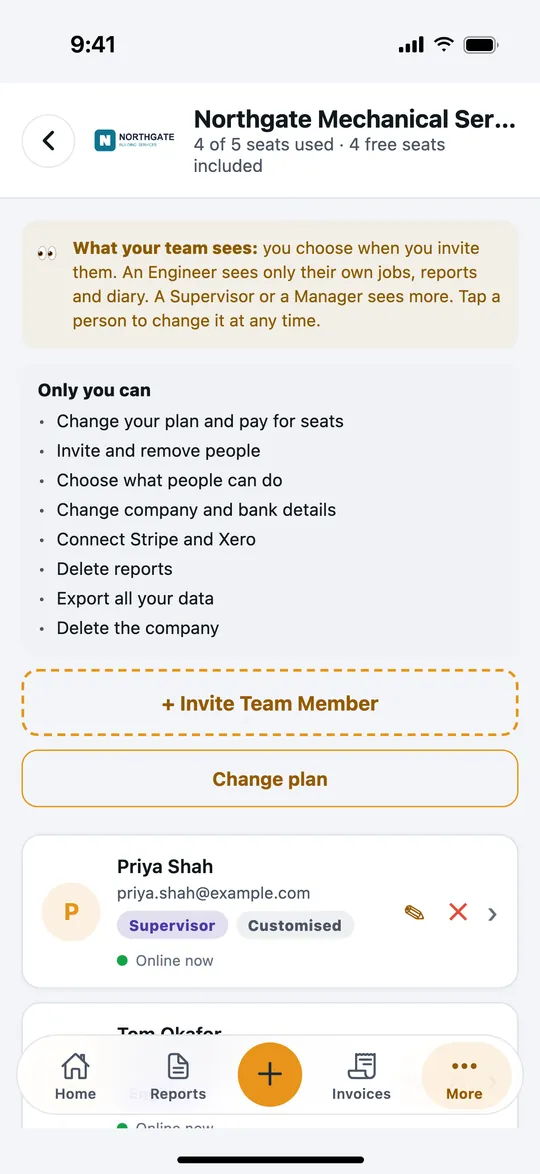
- The owner gives each person a level: Engineer, Supervisor or Manager.
- Each level is a starting set of eight permissions. Tick or untick any of them.
- Engineers never see your prices, invoices, quotes or figures unless you tick it.
- Engineers can change their own report for 15 minutes, until it is closed.
- Your accountant gets one free login of their own, with three switches you control.
- Every permission is also enforced on the server, not just hidden on the screen.
What are the team roles in Maintivo?
There is you, the owner, and three levels for everyone else. Hand the report checking or the diary to someone you trust, and keep your prices to yourself.
Their own work
Their own jobs, reports and diary. No invoices, quotes, prices or business figures.
Checks the team’s work
Also sees and checks the whole team’s reports, runs the team diary and looks after clients.
Runs the office
All eight permissions: everything apart from the things only you, the owner, can do.
Levels and ticks, on the phone
Real screens from the iPhone and iPad apps. Sample company and names.
- 1
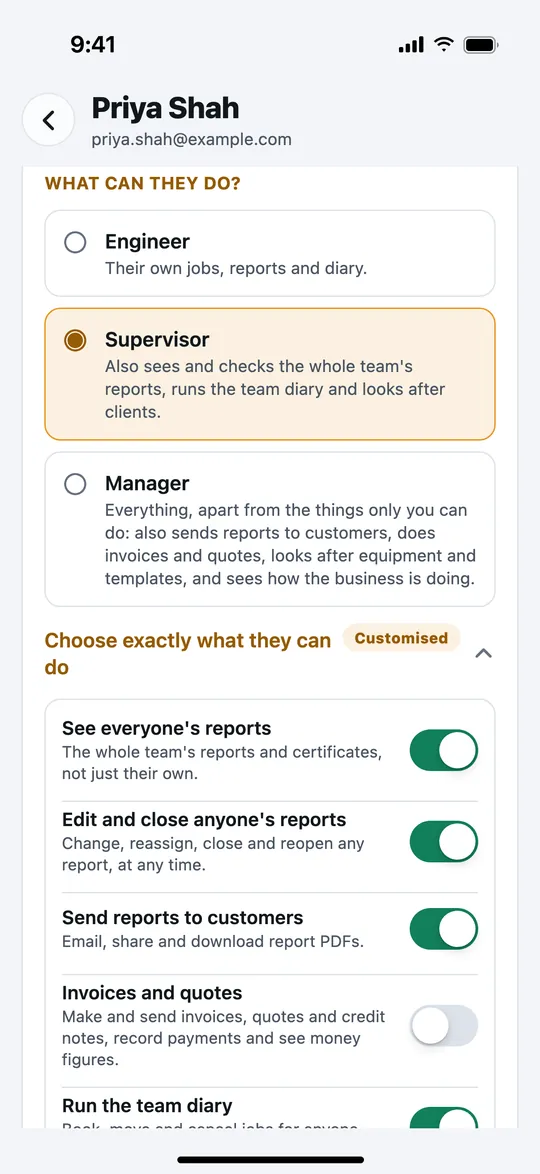
Pick a level
Engineer, Supervisor or Manager, then a tick for each permission.
- 2
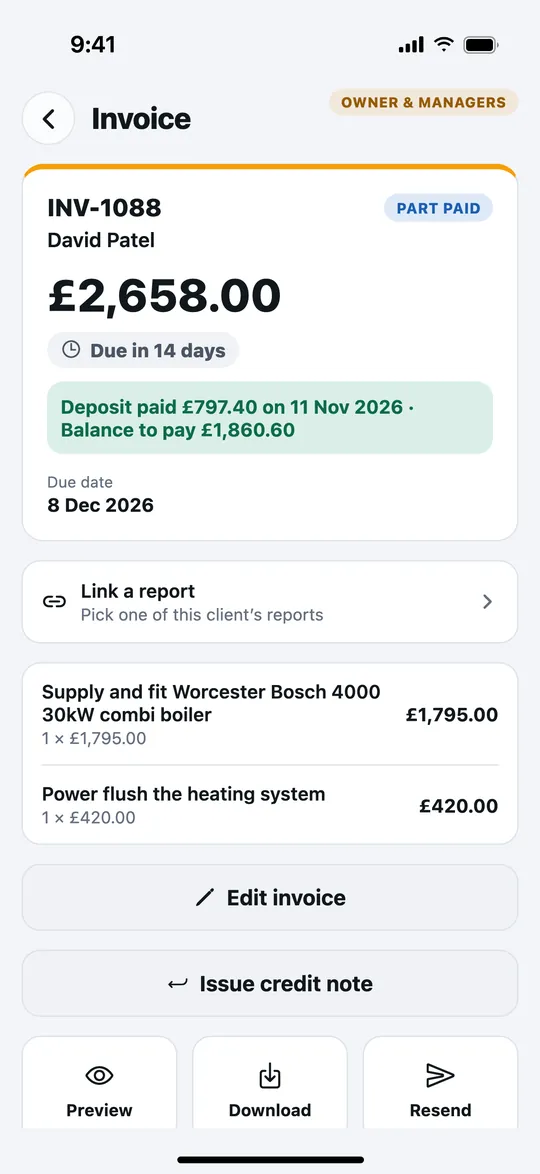
Owner and managers only
Money screens carry an Owner and managers label.
- 3
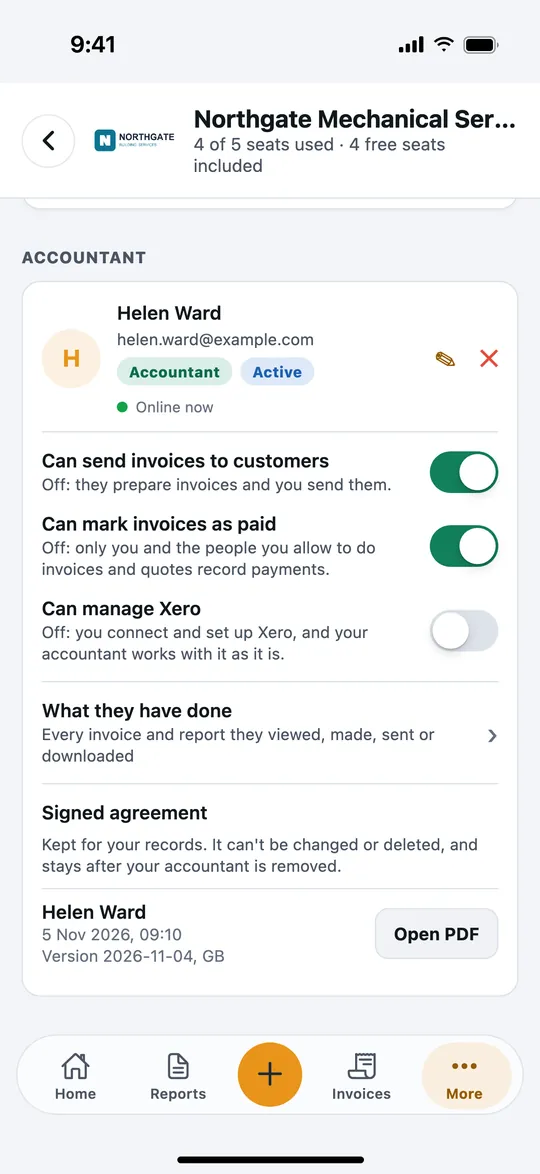
Your accountant
Their own login, with switches you control.
Which permissions can the owner tick?
Each level is a starting set of ticks. Change any of them and the person shows as Customised.
| Permission | What it lets them do | Engineer | Supervisor | Manager |
|---|---|---|---|---|
| See everyone’s reports | Every report from the whole team, not just their own, and the Activity list of who did what. | ✕ No | ✓ Yes | ✓ Yes |
| Edit and close anyone’s reports | Change any report at any time, mark it as reviewed and close it, or reopen it. | ✕ No | ✓ Yes | ✓ Yes |
| Send reports to customers | Open, download and share report PDFs, and send them to the customer. | ✕ No | ✕ No | ✓ Yes |
| Invoices and quotes | Make and send quotes, invoices and credit notes, and record payments. | ✕ No | ✕ No | ✓ Yes |
| Run the team diary | Book, move and cancel jobs for anyone, see everyone’s jobs and email customers their appointment. | ✕ No | ✓ Yes | ✓ Yes |
| Add and edit clients | The client list, client and site pages, and importing clients from a spreadsheet. | ✕ No | ✓ Yes | ✓ Yes |
| Equipment and templates | Edit the equipment register, build your own forms and get reminders when equipment is due. | ✕ No | ✕ No | ✓ Yes |
| Business figures | Work analysis and, with Invoices and quotes, the money totals on Home. | ✕ No | ✕ No | ✓ Yes |
- ✓Some ticks need anotherEdit and close anyone’s reports and Business figures both need See everyone’s reports. Tick either and it is ticked for you.
- ✓Changes apply at oncePress Save and the person can do it straight away, on all their devices.
- ✓Engineers still book their own jobsWithout Run the team diary, an engineer sees the jobs booked for them and books or changes only their own.
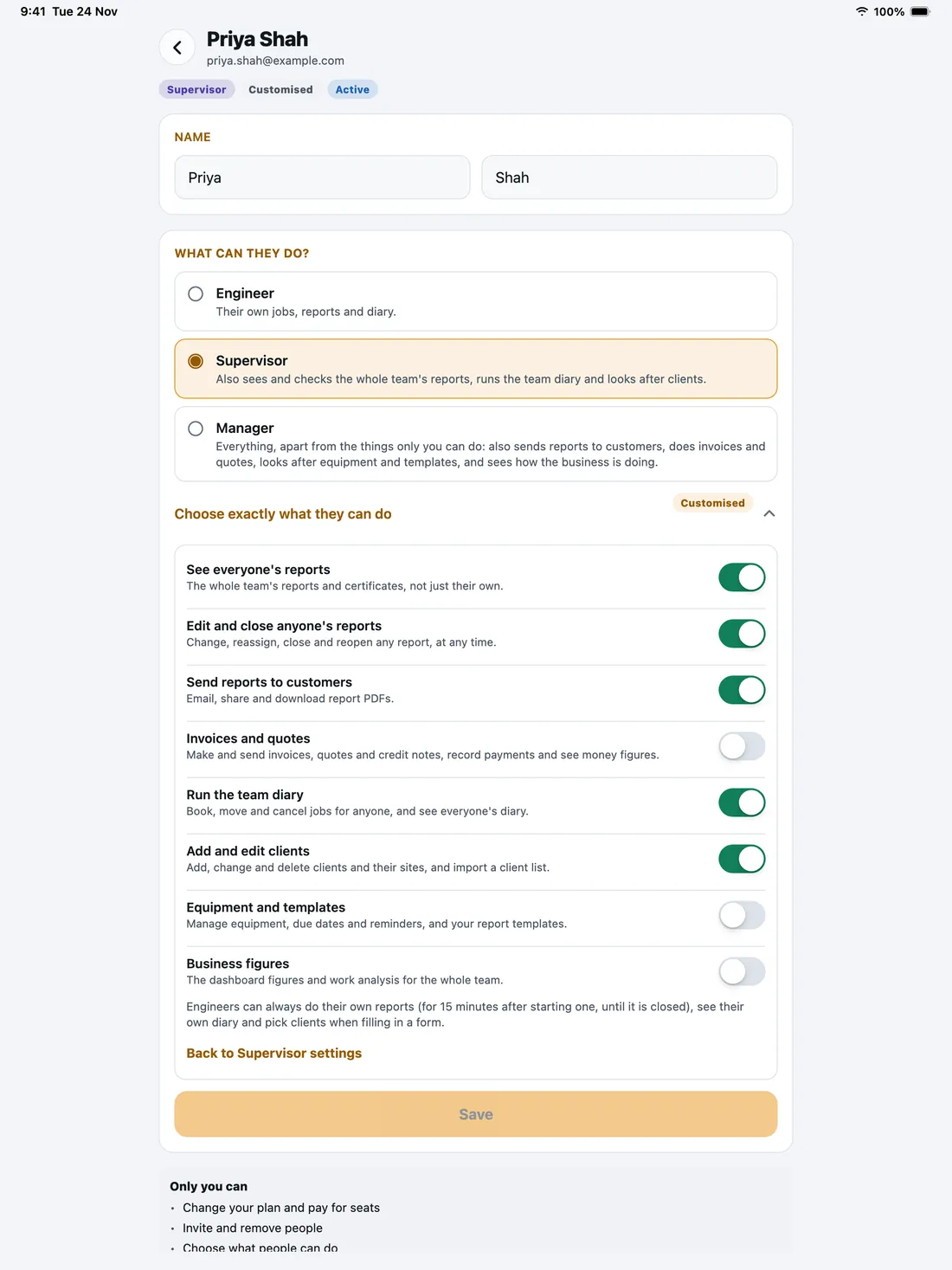
Every tick on one screen
- See everyone’s reportsOr only their own.
- Invoices and quotesPrices stay hidden unless you tick it.
- Run the team diaryBook jobs for anyone.
Can engineers see my prices?
No, not unless you tick it. An engineer’s app has no Invoices tab, no quotes and no money figures.
Home
Sam · Engineer
What an engineer sees
Their own jobs in the Diary, their own reports, the equipment register and what is due, and the clients they pick on a report.
What stays with you
Invoices, quotes, credit notes, prices, takings, Work analysis, the team page and your company settings, unless you tick it.
Engineers use the iPhone app, or the web app on any phone or computer. See Maintivo on Android and the team Diary.
Can engineers change a report after saving it?
Yes, for 15 minutes after saving their own report, as long as it has not been closed. After that, the office checks it and closes it.
The engineer saves it
They can change their own report for 15 minutes, to put a mistake right.
The office checks it
Anyone with Edit and close anyone’s reports can change any report, at any time.
Mark as reviewed & close
Once closed, engineers can no longer change it. Reopen report puts it back at any time.
More on job sheets and signing off a job with the customer.
- 1
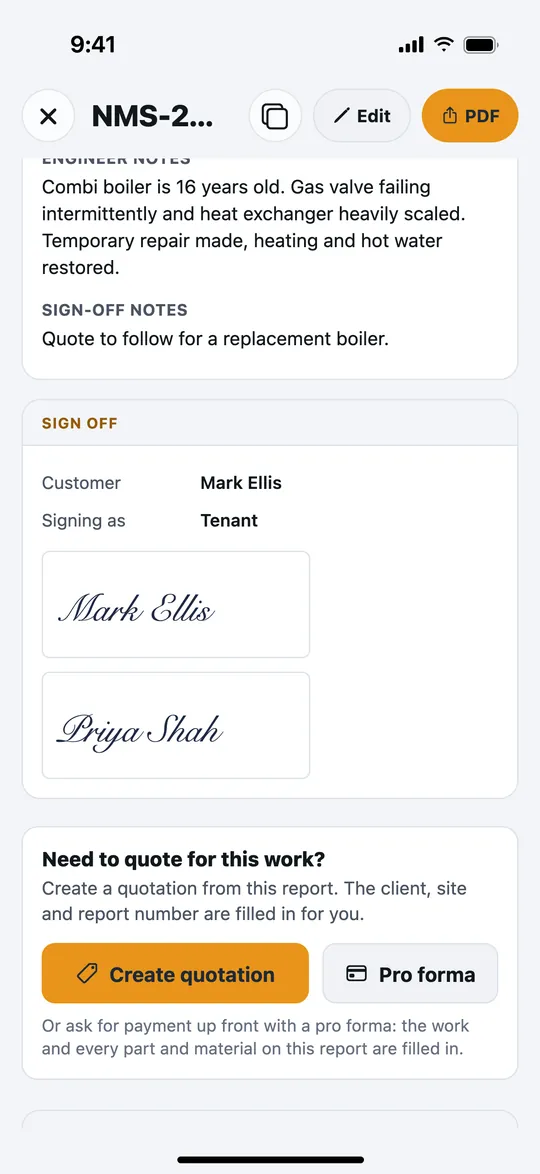
Saved and signed
The engineer’s notes and both signatures.
- 2
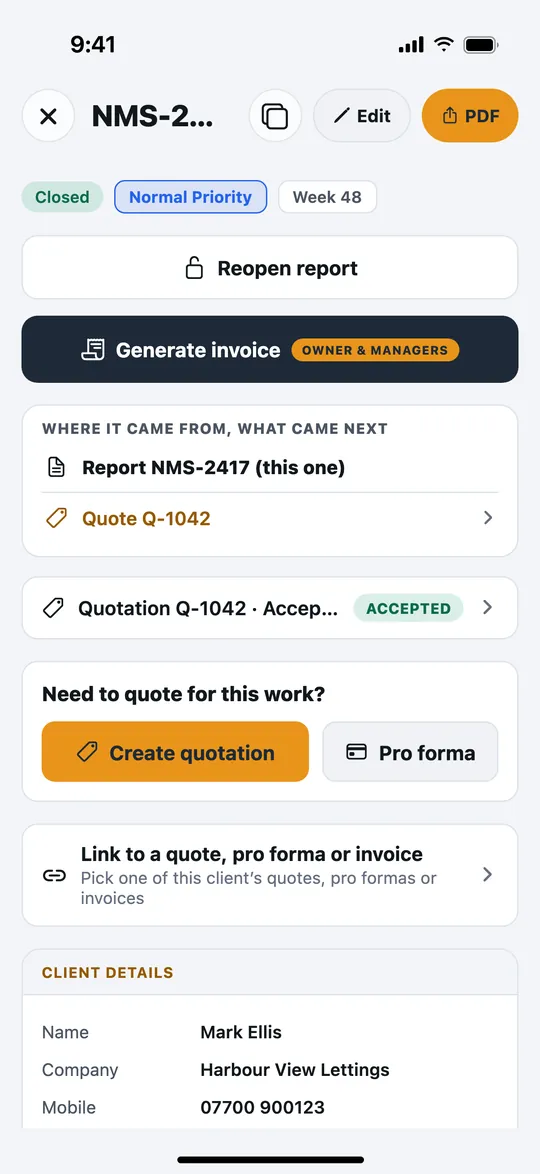
Closed, with Reopen
A closed report shows Reopen report at the top.
Real screens from the iPhone app. Sample company and names.
How does a team member see what they can do?
In Settings, under Your access. It shows their level, what they can do and who set it.
No guessing
Each person sees their level and their ticks, with a note to ask the owner if they need something changed.
The name on their reports
The owner sets each person’s name. It is locked for them, and it is the name shown on their reports.
Never added by surprise
An invited person sees the invite and chooses to join. Nobody is added to a team without saying yes.
How do I invite someone to my team?
From Team, press Invite someone. It takes a name, an email address and a level.
Invite someone
Type their first and last name and email, and pick Engineer, Supervisor or Manager.
They get an email
With links for the iPhone app and for app.maintivo.com. They sign up with that exact email address.
They join your team
They see your invite and choose to join. The level you picked applies straight away.
| Plan | People, owner included | Price |
|---|---|---|
| Solo | 1 | £34.99 a month |
| Team | Up to 3 | £59.99 a month |
| Team 10 | Up to 10 | £99.99 a month |
| Your accountant | One free login, takes no place | Included |
Everything is included in every plan, with 14 days free and no contract. See pricing.
What happens when someone leaves?
Press Remove from team on their page. Their access ends at once, and their work stays with you.
- ✓Access ends at onceOn every device they use, phone and browser alike.
- ✓Their reports stayEvery report they wrote stays with your company.
- ✓Their place is freedInvite someone new, or move to a smaller plan.
Can my accountant have their own login?
Yes. One free login for your accountant, included in your plan and taking no place on it. One accountant at a time.
Signed before they see anything
A confidentiality agreement with your company, worded for your region. A copy goes to both of you, and it can’t be changed or deleted.
Three extra jobs, all off
Can send invoices to customers, Can mark invoices as paid and Can manage Xero (Xero is coming soon). Switch on what you want.
What they did
What they viewed, created, edited, sent, marked, searched and downloaded. Only you, the owner, see it.
They see your reports and invoices, never your client list, team or settings. Remove them and access ends at once, while their invoices and history stay. Full details: accountant access.
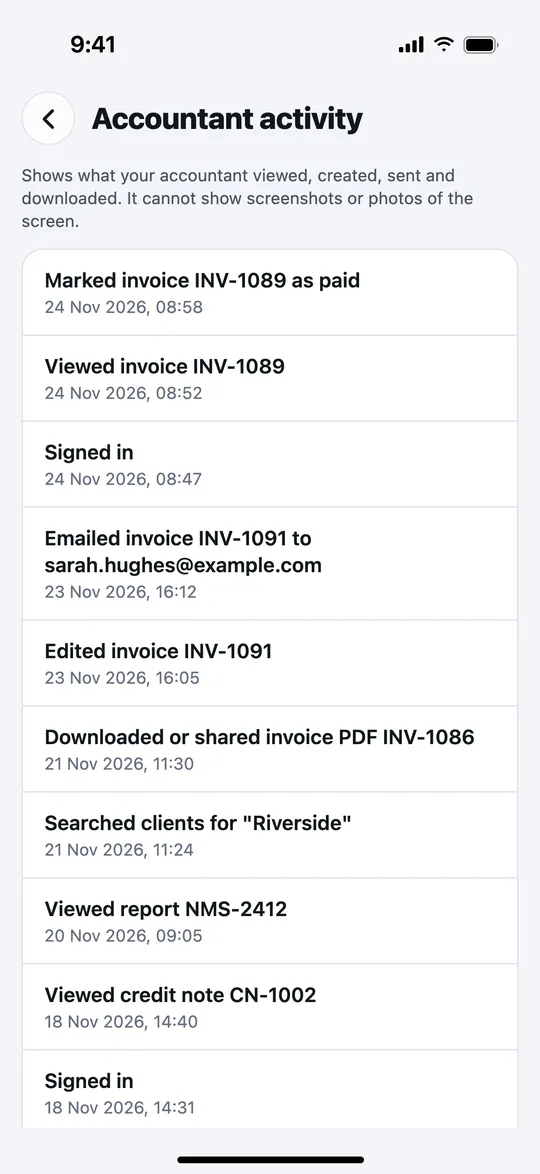
What they did, with the time
- Every invoice actionViewed, emailed, edited or marked as paid, with the date and time.
- Sign ins and searchesEach time they signed in, and what they searched for.
What can only the owner do?
Some things never pass to anyone else, not even a Manager.
- ✓Change the plan and pay for itPlan and billing stays with you.
- ✓Invite and remove peopleAnd choose what each person can do.
- ✓Change company and bank detailsSo nobody else can change where your customers pay.
- ✓Connect card paymentsYour own Stripe account, for the Pay by card button on invoices.
- ✓Delete reportsA deleted report waits 30 days in Recently deleted, then it is gone.
- ✓Download all the data, or delete the companyDownload all my data gives you every report PDF, photo and spreadsheet in one file.
- 1
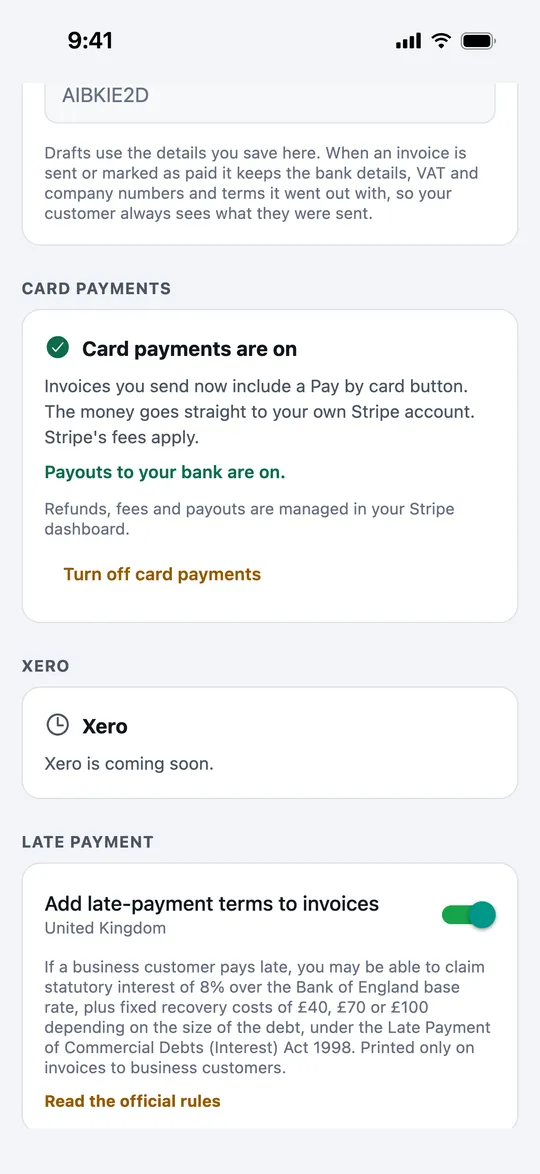
Card payments
Payouts go to your own Stripe account.
- 2
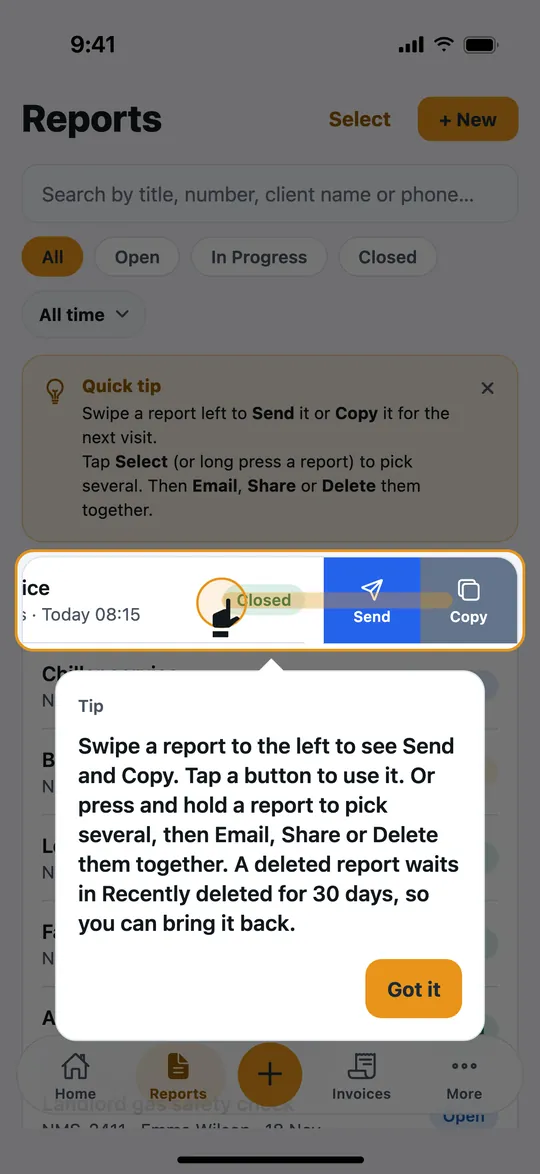
Recently deleted
A deleted report waits 30 days, so you can bring it back.
Real screens from the iPhone app. Sample company and names.
Are permissions just hidden buttons?
No. Every permission is also enforced on Maintivo’s server, so a hidden button can’t be got round another way.
On the screen
People see only the buttons and pages their ticks allow, in the iPhone app and in the web app.
On the server
The same rules are checked again for every report, invoice and client they open or change, whatever device they use.
Related: job status and timesheets, invoicing and switching to Maintivo.
Common questions
No, not unless you tick it. The Engineer level has none of the eight permissions, so an engineer never sees your invoices, quotes or business figures. Tick Invoices and quotes, or Business figures, for anyone who needs them.
An Engineer has their own jobs, reports and diary. A Supervisor also sees and checks the whole team's reports, runs the team diary and looks after clients. A Manager has all eight permissions: everything apart from the things only the owner can do.
Yes. Pick the nearest level, then tick or untick any of the eight permissions. The person shows as Customised, and the change applies straight away on all their devices.
No. Only the owner can change the plan, invite and remove people, choose what people can do, change company and bank details, connect card payments, delete reports, download all the data and delete the company.
For 15 minutes after saving it, as long as it has not been closed. Anyone with Edit and close anyone's reports can change any report at any time, and close or reopen it.
Solo is for 1 person, Team for up to 3 and Team 10 for up to 10, the owner included. Invites still waiting to be accepted count too. Your accountant's login is free and takes no place.
Their access ends at once, on every device. The reports they wrote stay with your company, and their place on your plan is free again.
Do your next report in Maintivo
Your first report is free to fill in, with no card and no training day. Run a real visit through it and see.
iPhone: No card. No account. First report free to fill in.In your browser: Free account, no card. First report free to fill in.