 Maintivo

Engineer job status and timesheets, without tracking anyone’s phone
Engineers tap On my way, I’ve arrived and Job finished on the job in the Diary. The office is told at each step, the customer can be told you are on the way, and the time on site fills a weekly timesheet. No GPS and no live map.


iPhone: No card. No account. First report free to fill in.In your browser: Free account, no card. First report free to fill in.
Boiler service
12 High Street · 10:30 to 11:30 · Sam
- Three taps on each Diary job: On my way, I’ve arrived, Job finished.
- The office is told at each step, and the Diary shows where every job is up to.
- The customer can get an email that you are on the way, if the office sent them the appointment.
- Time on site runs from I’ve arrived to Job finished, and fills a weekly timesheet.
- Job finished leads straight to the report, or to an invoice with the labour line started.
- No GPS tracking: engineers share a step, not their location.
How does job status work?
Each job booked in the Diary has one big button for the next step. The engineer taps it as they go.
On my way
The office is told. If the office emailed the customer the appointment, the customer gets an email that you are on the way. The engineer can leave it out this once.
I’ve arrived
The office is told, and the clock for time on site starts.
Job finished
The office is told and the job is marked done. Write the report, or make the invoice with the labour line already started.
Three taps, and the office knows
Real screens from the iPhone app. Sample company, engineers and jobs.
- 1
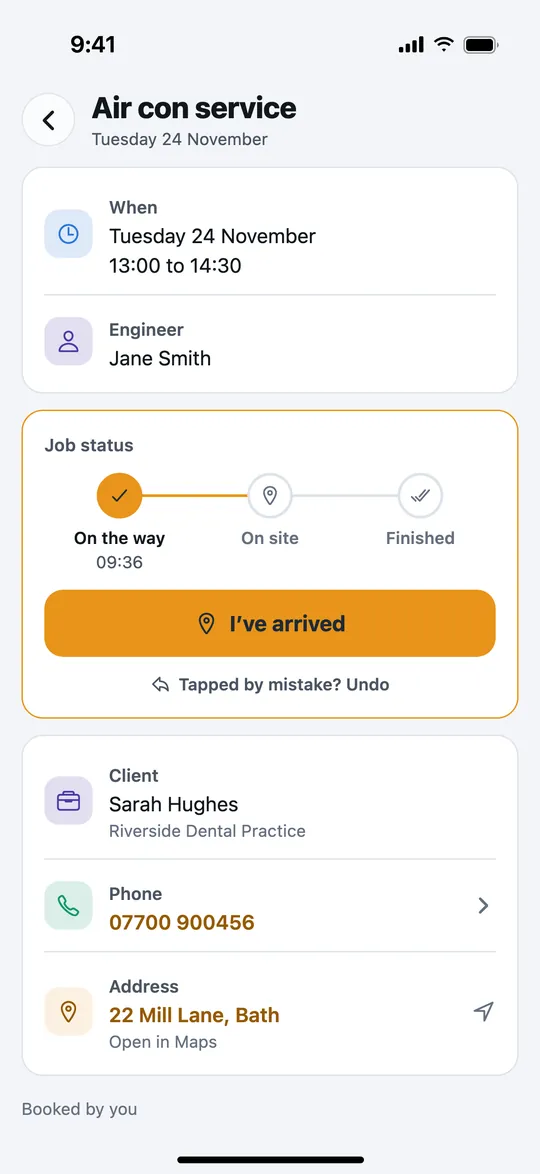
On my way
Tapped when they set off. Next comes I’ve arrived.
- 2
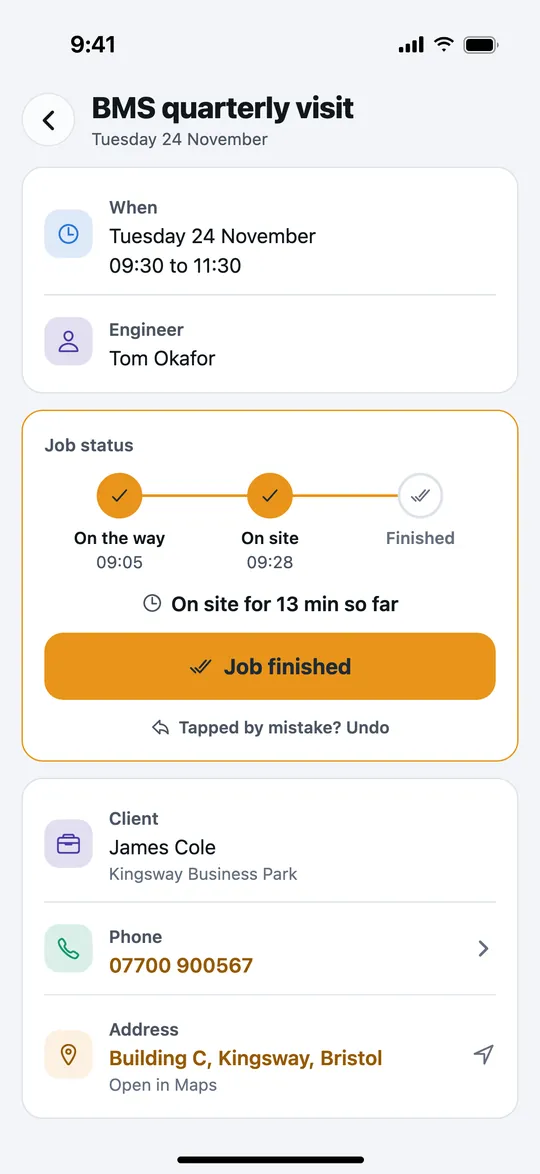
On site, then Job finished
Each step has its time. Tapped by mistake? Undo.
- 3
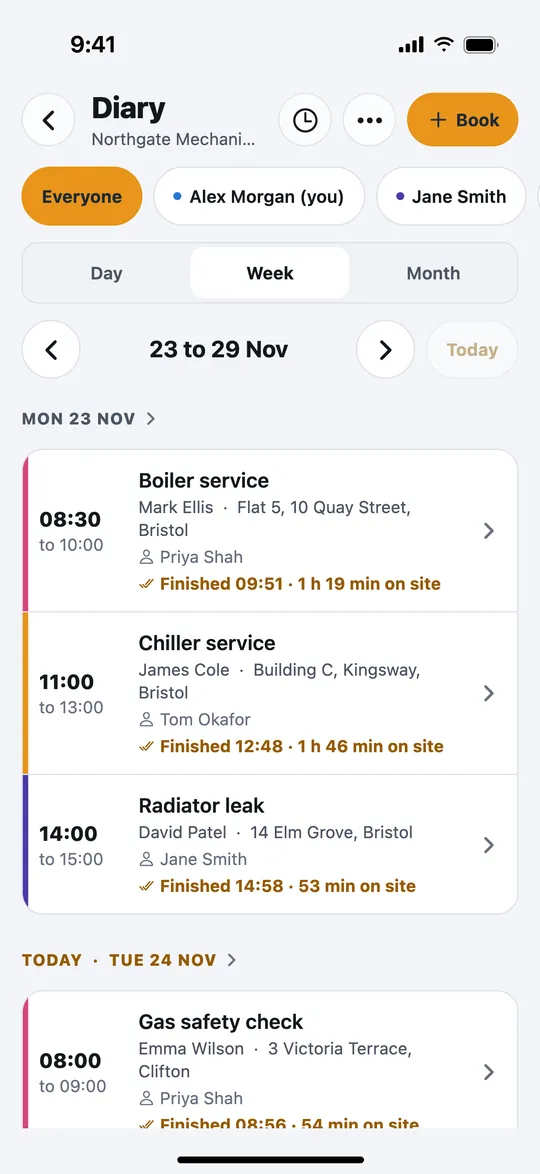
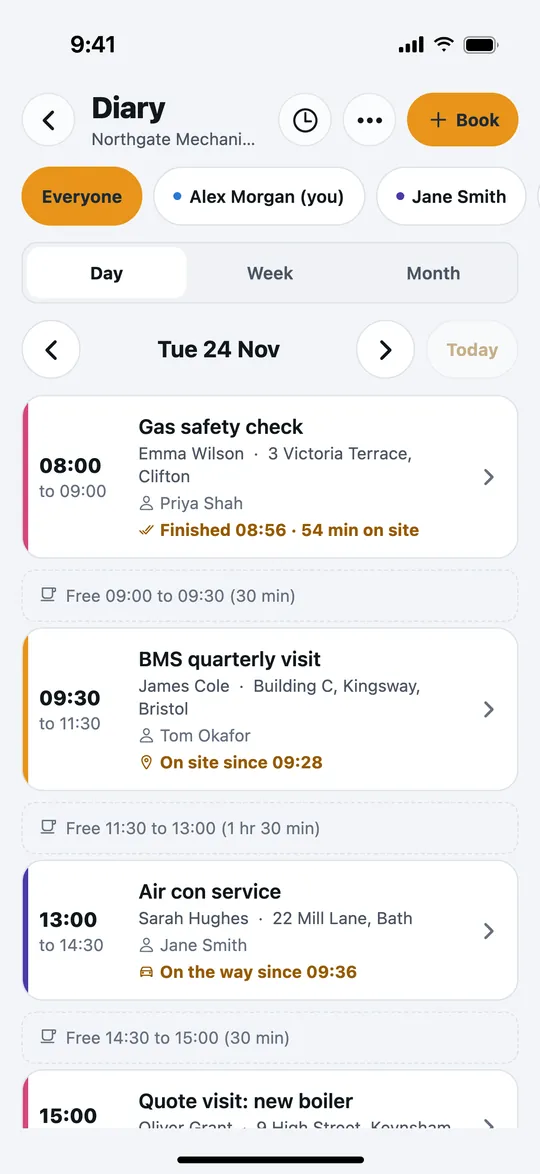
The Diary
Every job for the week, with the engineer on each.
- 4
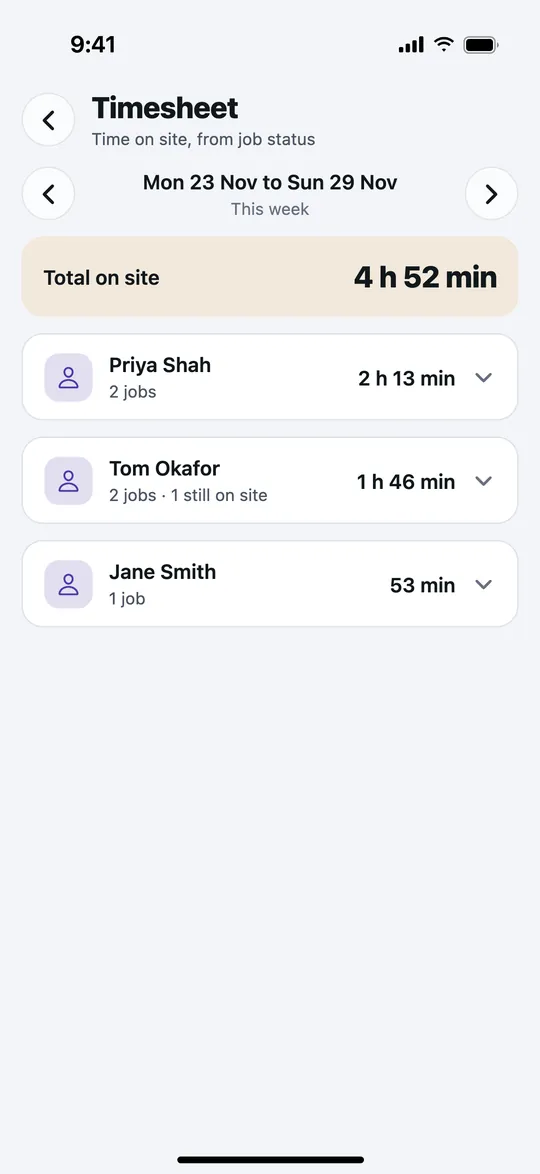
Timesheet
Time on site, from arrived to finished, week by week.
What does the office see?
The whole day at a glance, without phoning round.
Where each job is up to
Each job shows its step and the time: “On site since 10:52” or “Finished at 11:40”.
A notification at each step
The owner and anyone who runs the team diary are told, unless they switch Diary notifications off.
Time on site, by week
Each person’s jobs and hours for the week, with a total. Go back a week at a time.
| Engineer | Jobs | Time on site |
|---|---|---|
| Sam | 9 | 14 h 20 m |
| Priya | 7 | 11 h 05 m |
| Dan | 8 | 12 h 40 m |
| Total | 24 | 38 h 05 m |
- 1
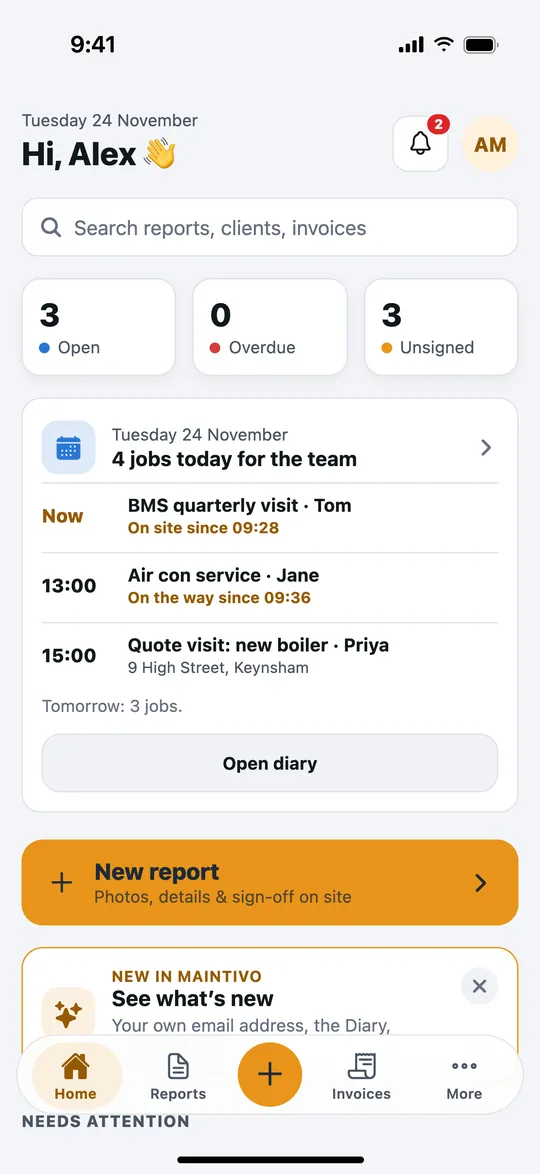
The owner’s Home
Today’s jobs, with who is on site and who is on the way.
- 2
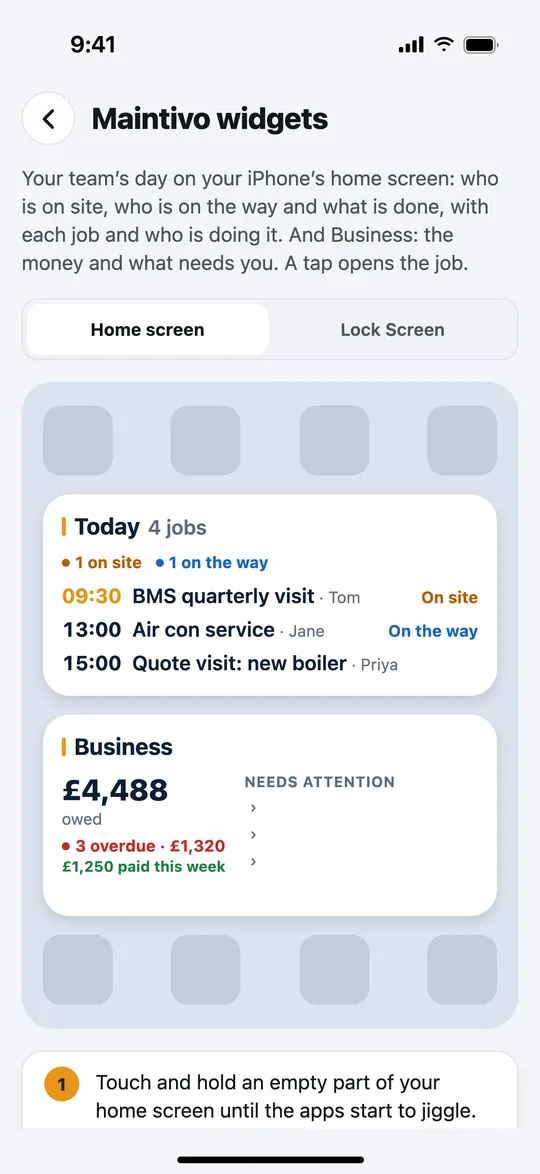
On the home screen
The Today widget shows who is on site and on the way.
Real screens from the iPhone app. Sample company and names.
Why steps instead of tracking?
Engineers tell the office what they are doing, when they are doing it. Nobody’s phone is followed around.
- ✓No location sharedMaintivo does not read the phone’s location or draw a live map.
- ✓Mistakes are easy to fixA step tapped by mistake can be undone within 15 minutes.
- ✓The right people can tapThe engineer the job is booked for, or anyone who runs the team diary. Never the accountant.
From the job to the paperwork: job sheets, parts and materials and invoices.
Common questions
You see where each job is up to: on the way, on site or finished, with the time of each step. Maintivo does not track phones or show a live map. Engineers tap the step themselves on the job in the Diary.
Yes, if the office emailed them the appointment for that job. When the engineer taps On my way, the customer gets an email saying they are on the way, once per job. The engineer can switch it off for that job.
From I’ve arrived to Job finished. It shows on the job and on the weekly timesheet, for each person, with a total for the week.
The owner and anyone who runs the team diary see everyone. Each engineer sees their own.
They can undo the step within 15 minutes.
The step needs a signal, because its whole point is to tell the office. The report itself still works with no signal on iPhone.
Yes, in every plan, from £34.99 a month.
Do your next report in Maintivo
Your first report is free to fill in, with no card and no training day. Run a real visit through it and see.
iPhone: No card. No account. First report free to fill in.In your browser: Free account, no card. First report free to fill in.