 Maintivo

Planned maintenance scheduling: repeat services booked into the Diary for you
Keep a register of the equipment you look after and how often each needs a service. Maintivo works out when each one is due, reminds the office, and can book each due service into the Diary for the engineer who did the last one.


iPhone: No card. No account. First report free to fill in.In your browser: Free account, no card. First report free to fill in.
Booked automaticallyF-gas check
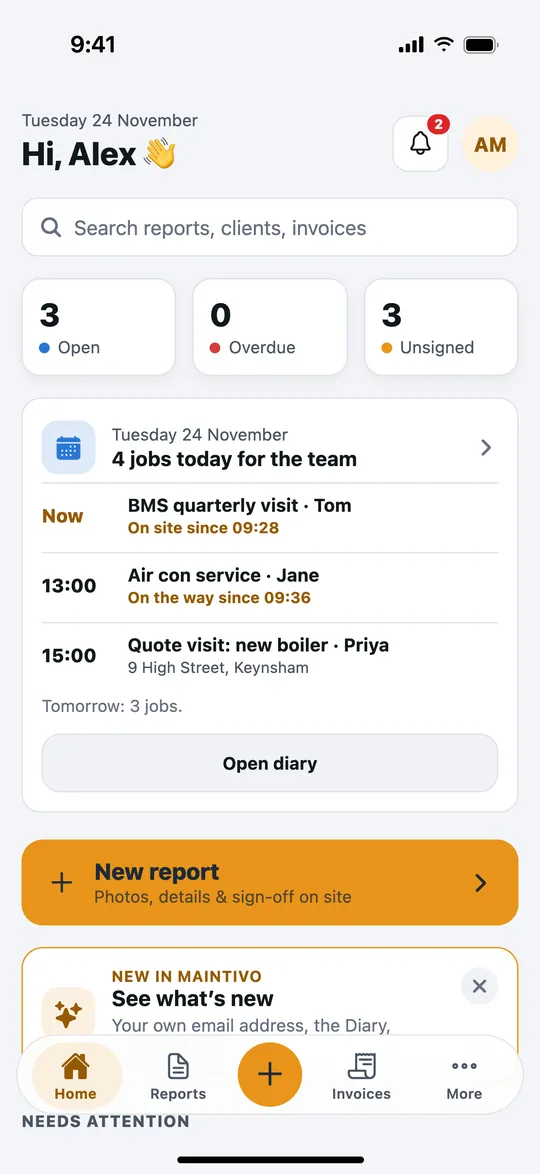
Booked automatically 13:00Repair
AlexQuote visit
Priya
- An equipment register for every client and site, with each service interval.
- The next due date is set from each report, so nothing is worked out by hand.
- The office is reminded 90 days and 30 days before, and when a service is overdue.
- Switch on Book due services into the Diary and each one is booked for you, 2 to 8 weeks ahead.
- Booked for the engineer who did the last one, at 09:00 on the due date, on a weekday.
- The customer is not emailed until you have agreed the time.
How does planned maintenance work in Maintivo?
Add the equipment
Boilers, air conditioning, chillers, MVHR, anything you service: at its site, with how often it needs a service.
Do the job, write the report
The report sets the next due date, and the office is reminded as it comes up.
It goes in the Diary
With the switch on, each due service is booked for you. Agree the time with the customer, then send the appointment.
From the due date to the Diary
Real screens from the iPhone app. Sample company and equipment.
- 1
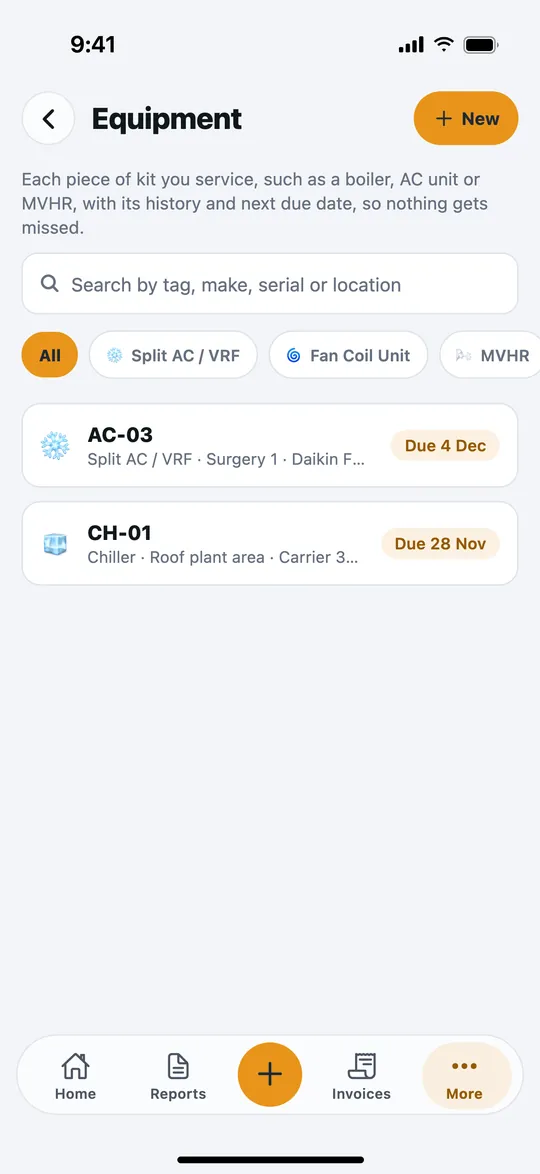
Every unit and its due date
Overdue and due soon are marked in red and amber.
- 2
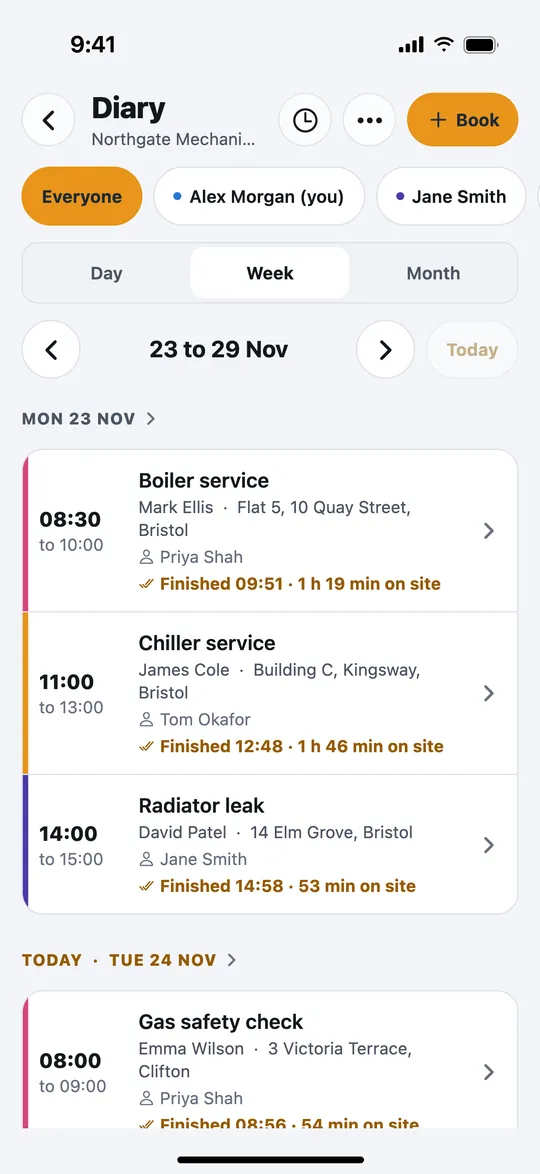
Booked into the Diary
Jobs sit in the shared Diary with the engineer on each.
- 3
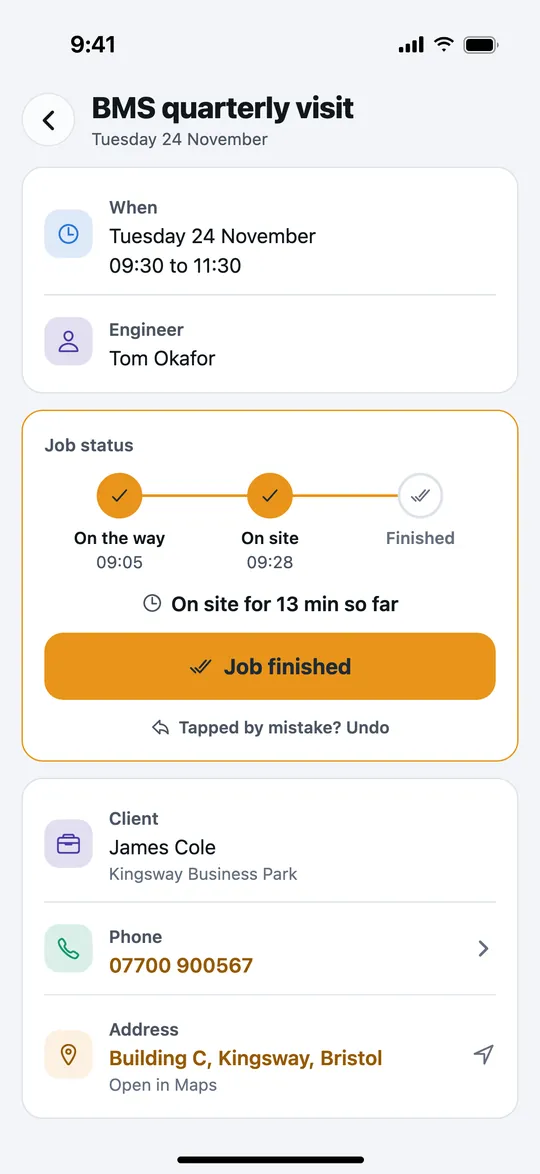
Tracked to the finish
Each visit goes from on the way, to on site, to finished.
When and for whom is each service booked?
Simple rules, so the Diary never fills with surprises.
09:00 on the due date
On your company’s own clock. A weekend date moves to the Monday after, and nothing is booked in the past.
The engineer who did the last one
If they have left the team, the job is booked with nobody assigned, for the office to pick.
2, 4, 6 or 8 weeks ahead
The owner picks how far ahead. Each service is booked once, and marked as booked automatically.
Related: the team Diary, history by property and CP12 renewal reminders.
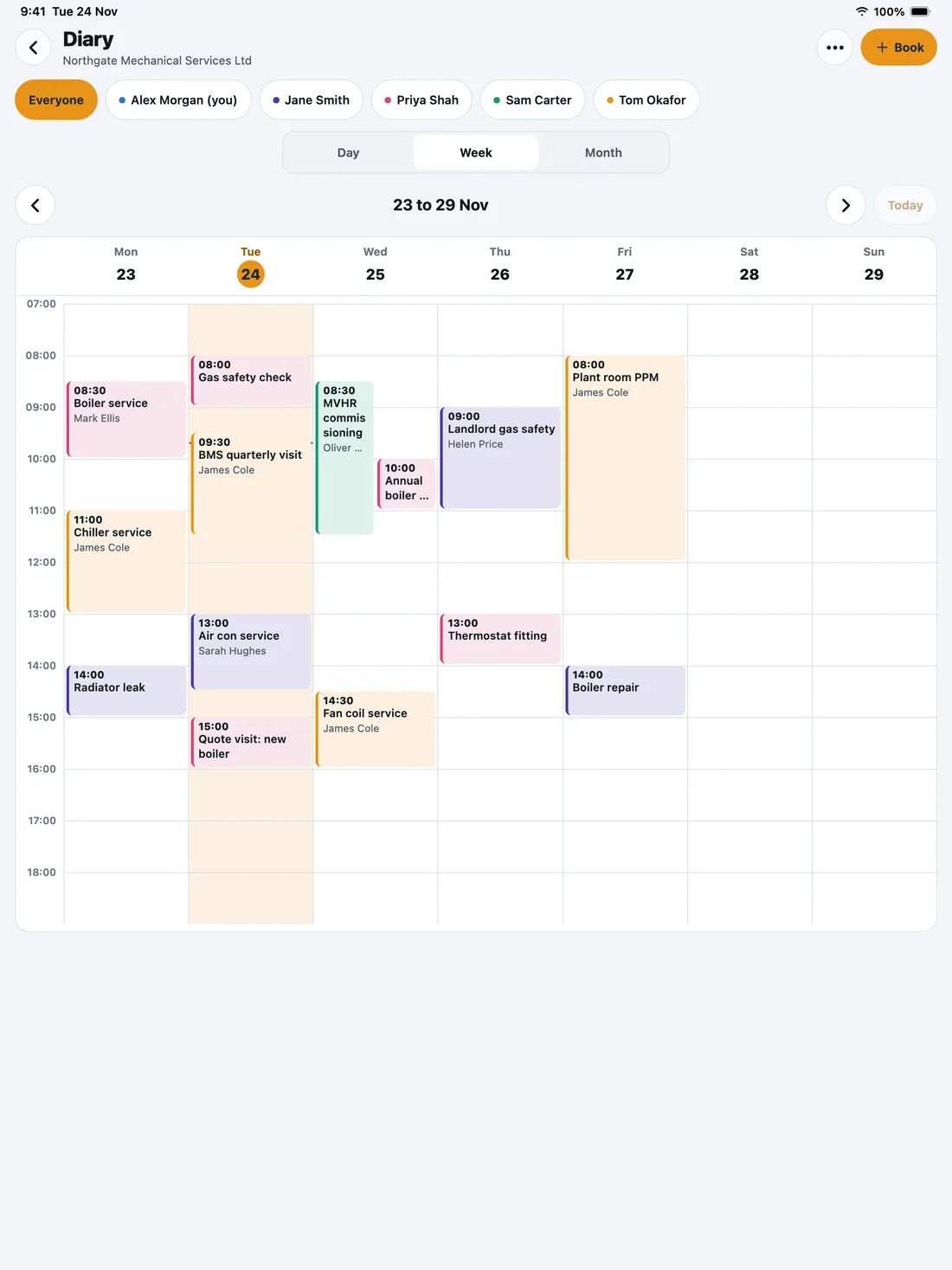
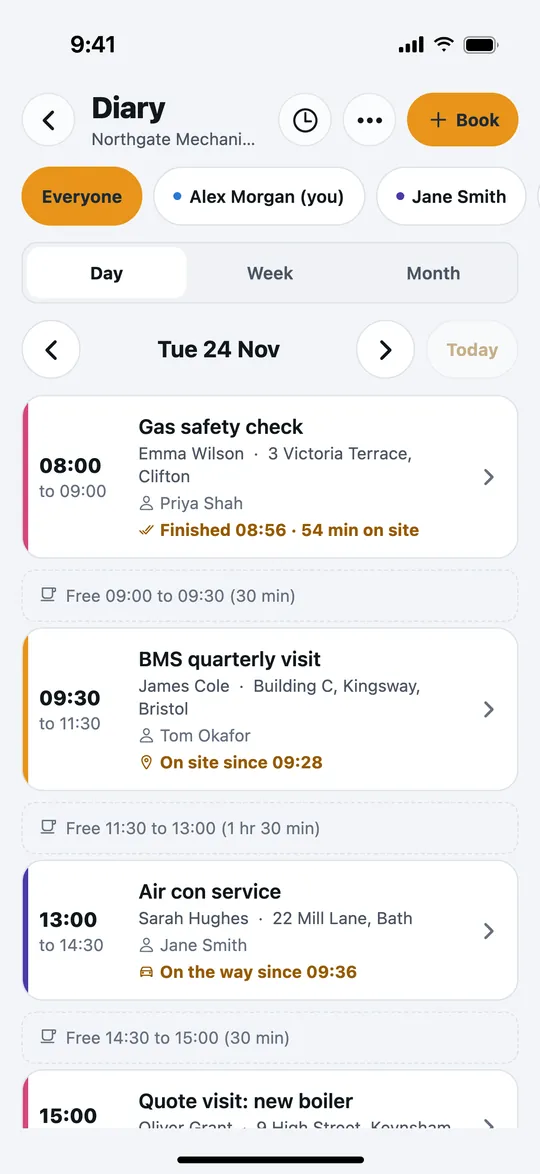
Booked services, next to everything else
- The week for the whole teamOn iPad, laid out by day, one colour per engineer.
- The day on iPhoneEach job with its engineer and status, and the free time between.
Common questions
Booking each service before it falls due, from a list of the equipment you look after and how often each needs servicing, instead of waiting for the customer to ring.
Each piece of equipment in your register has its service interval. When a report is done, the next due date is set from it.
Yes, if the owner switches on Book due services into the Diary. Each service coming due within the weeks you choose gets one Diary job on its due date at 09:00, for the engineer who did the last one.
No. Each job is marked as booked automatically, with a note to check the time with the customer. Agree the time, then send the appointment from the job.
A service due on a Saturday or Sunday is booked for the Monday after. Nothing is booked in the past: tomorrow is the earliest.
Yes, in every plan, from £34.99 a month. It is off until the owner switches it on.
Do your next report in Maintivo
Your first report is free to fill in, with no card and no training day. Run a real visit through it and see.
iPhone: No card. No account. First report free to fill in.In your browser: Free account, no card. First report free to fill in.