 Maintivo
Everything you need to finish the report before you leave site
Every feature here is about one thing: getting the paperwork done in minutes, on the job, so none of it follows you home. Fill in the form once, with photos and signatures. Where a job needs sums, the form does them. No retyping in the van. No admin pile at 9pm.
iPhone: No card. No account. First report free.In your browser: Free account, no card. First report free.


This is what all of it produces, before you leave
A report produced by Maintivo from a sample air conditioning visit. Your logo and company details at the top, the customer and site, the findings and readings, and both signatures.
On your iPhone on site. On Android, a tablet or the office computer too.
One account for the whole firm. A report an engineer finishes on site is on the office screen as soon as it uploads, and a customer added at the desk is on every phone.
- iPhone: the app. It works with no signal and uploads when you are back in range.
- Android phones, iPads and other tablets: the web app at app.maintivo.com. Add it to the home screen and it opens like an app.
- Laptop or desktop: the same web app on a big screen, for reviewing reports, clients, invoices and the team.
- Always in step: the same reports, customers and PDFs everywhere. One subscription covers all of it.


Ready-made forms: nothing to set up
A general work inspection and job sheet, HVAC and air conditioning service, air handling unit, fan coil unit, boiler service and Gas Safety Record, split AC, VRF and chiller service with the F-Gas leak check, MVHR, and a dedicated HIU commissioning form. Each one has the right fields in the right order. If yours is not there, build it.
Item-by-item findings
Each item is pass, fail or not applicable, with a note. When something fails, you record what you found, what you did and a priority, so the customer can see exactly what needs doing.
Photos on site
Snap the problem straight into the record, take a photo or choose from the library. Every finding gets its own image and description.
The right name on the record
Engineer and customer sign on the glass. The engineer's name is set by the admin and can't be edited on site, and their registration number prints alongside it. The person who signed is the person who did the work.
Branded PDF, no design skills
Upload whatever logo you've got, a JPEG off an old letterhead is fine. Maintivo works out what colour the background actually is, strips it, and sizes the logo to fit. If it can't tell, it leaves your logo alone rather than gouging a hole in it.
Works with no signal on iPhone
Basements, attics, plant rooms, new builds with nothing. In the iPhone app you capture the whole job offline, photos and signature included, and it uploads itself the moment you're back in range. Anything still pending is listed on your home screen, so you're never guessing. The web app needs a connection and keeps a draft in the browser.
Talk instead of typing
On iPhone, hold the button and say what you found. It lands in the report as text. It runs on Apple's on-device recogniser, so your voice never leaves the phone and it still works in a basement with no signal.
Only asks what applies
Say the system holds no F-gas and the whole leak-check section disappears. Say no leak was found and it won't ask you where it was. You can't leave a contradiction on a record you've signed.
Readings, captured once
Flow, return, pressures, temperatures, combustion figures, logged where the numbers are, so a mistyped figure never sends you back to site.
It does the sums for you
Readings sit beside their design figures, with anything out of tolerance flagged. On refrigerant work you pick the gas and enter the charge, and Maintivo works out the tonnes of CO₂e and which leak-check band the system falls into.
The next check date, worked out
The moment the record is signed, Maintivo knows when that unit is next due and puts it in your asset register. Nobody has to keep it in a spreadsheet, or in their head.
It tells you before the customer does
Ninety days out, thirty days out, and again if it goes overdue, the owner gets an iPhone notification (optional, switched on in Settings). On the web, what is due shows on the dashboard. Renewals stop being the thing you find out about from an angry landlord.
Two dashboards & roles
Admins get a full-control dashboard with finance and invoicing; engineers get a focused view with just their jobs. No permissions headache, no oversharing.
Secure UK-GDPR cloud
Every job, photo and signed PDF stored, searchable, backed up and audit-ready. Find the record from 14 months ago in 30 seconds.
Invoicing that chases you, not the other way round
Signed jobs with nothing billed against them sit in a Ready to invoice list, so unbilled work stops turning up in February. Turn one into a branded invoice in a few clicks, then send it or download the PDF. Admin-only. A £9.99/month add-on.
An AI that can't add a number
It tidies your findings into a sentence a client can read, and that is all it is permitted to do. When you dictate a note on iPhone, every number is swapped for a placeholder before the text is sent; a typed note is sent as typed. You see the suggestion before it is used, and any suggestion that adds a number is rejected. Off until you turn it on. Revocable in Settings. The processor is Anthropic, and we say so.
No training day
Built for sole traders and small teams (the owner plus up to five engineers). More than five engineers? Email us. Most engineers are running Maintivo on their first job, no manual, no course, no lost afternoon.
Work analysis for the owner
See how many reports were done by each engineer, in each area, for each client or by work type, for this month, last month or any dates you pick. Tap a row to open the reports behind it.
Help beside the field
A small question mark next to a field explains what to enter and how a figure is worked out, so nobody has to ring the office from a plant room.
Photos you can check properly
Tap any photo in a report to see it full screen and swipe through the rest. In the PDF they print with the time they were taken.
Bring your customers with you
In the web app the owner can import clients from a CSV or Excel file, or paste them from a spreadsheet, and undo it for 24 hours. Download all my data gives you a copy of everything whenever you want one.
Maintivo produces the record and does the maths behind it. The registered engineer is the person who signs it, and remains the competent person under the regulations, Maintivo does not certify work.
A new look, and less to find
Maintivo has been redesigned around one idea: what needs you should be the first thing you see. These are iPhone screens; the web app at app.maintivo.com already works this way, and on Android, an iPad or a computer you use it with the same account.
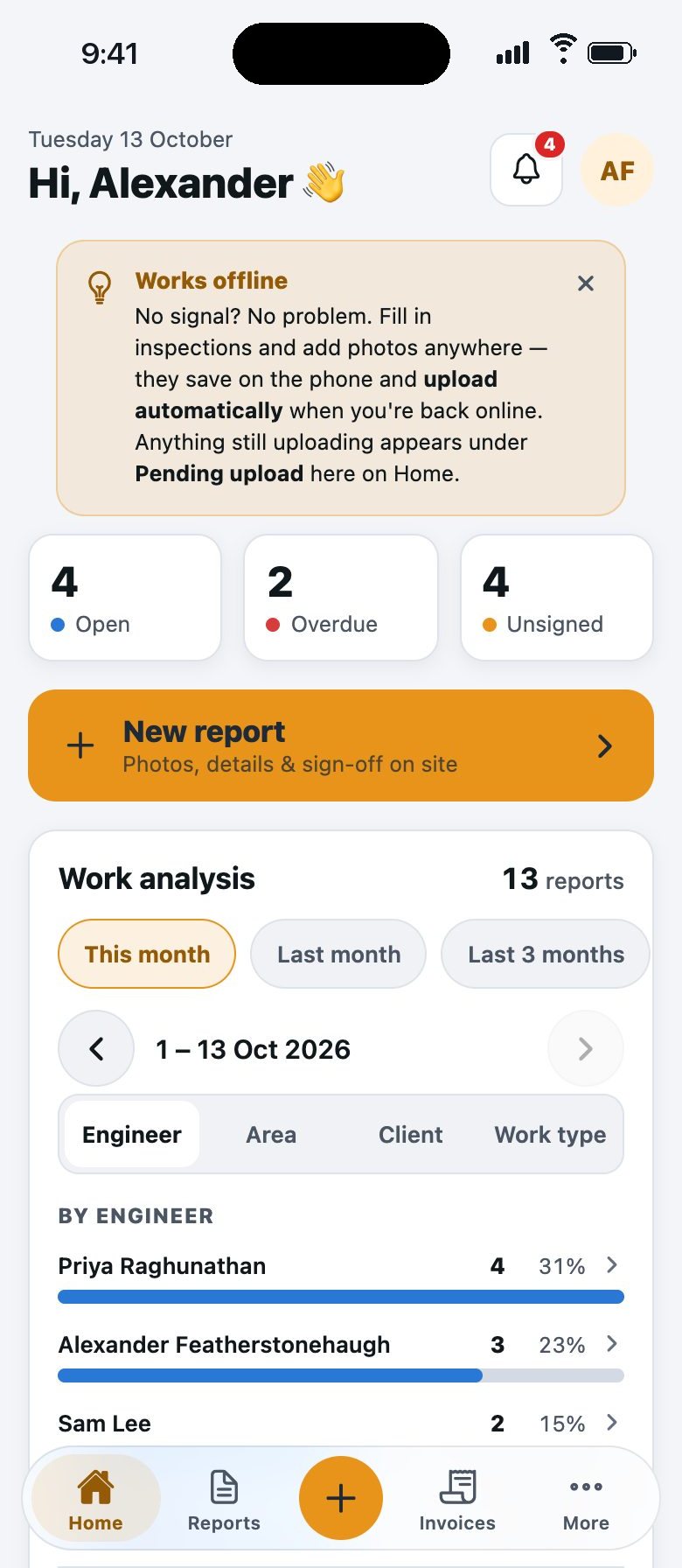
Home shows what needs you
Open, overdue and unsigned at a glance, with a New report button under them.
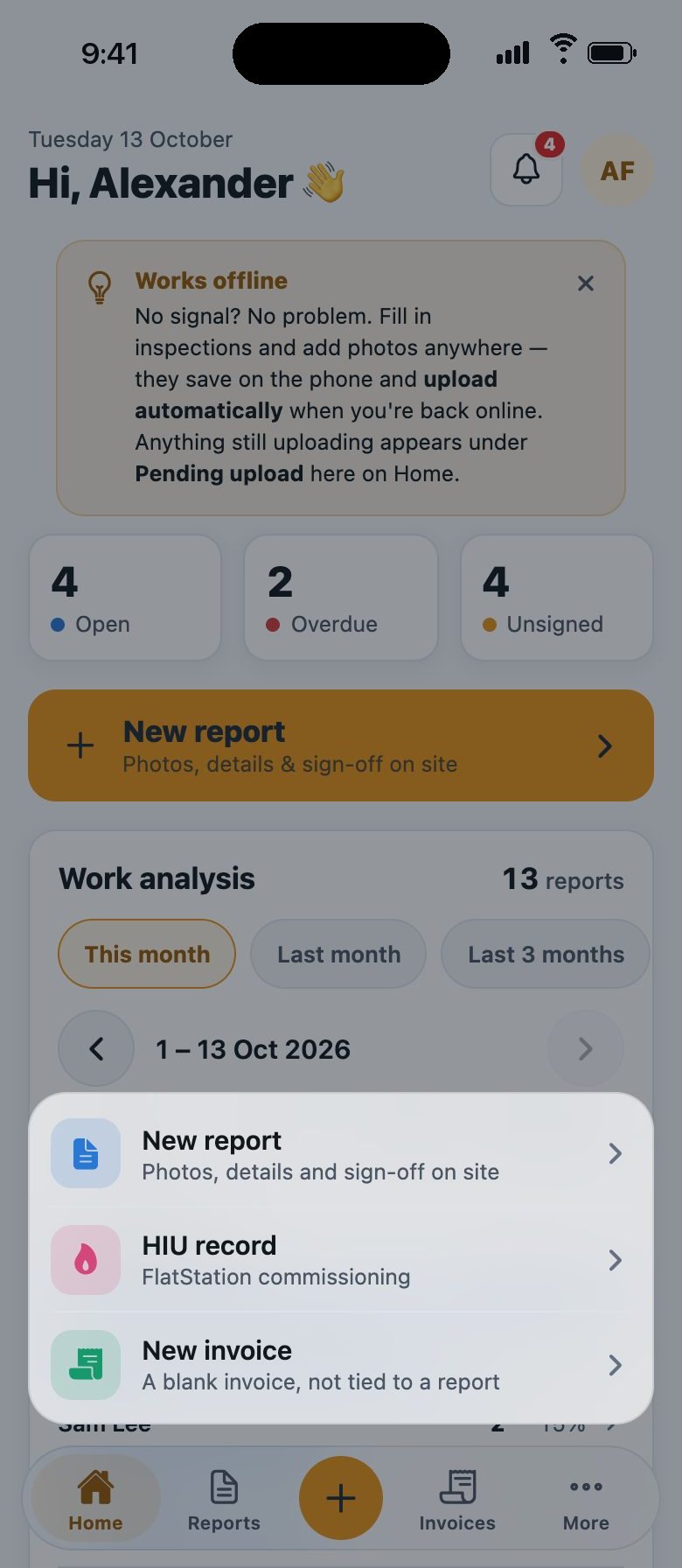
One button starts anything
Tap the plus for a report, an HIU record or an invoice.
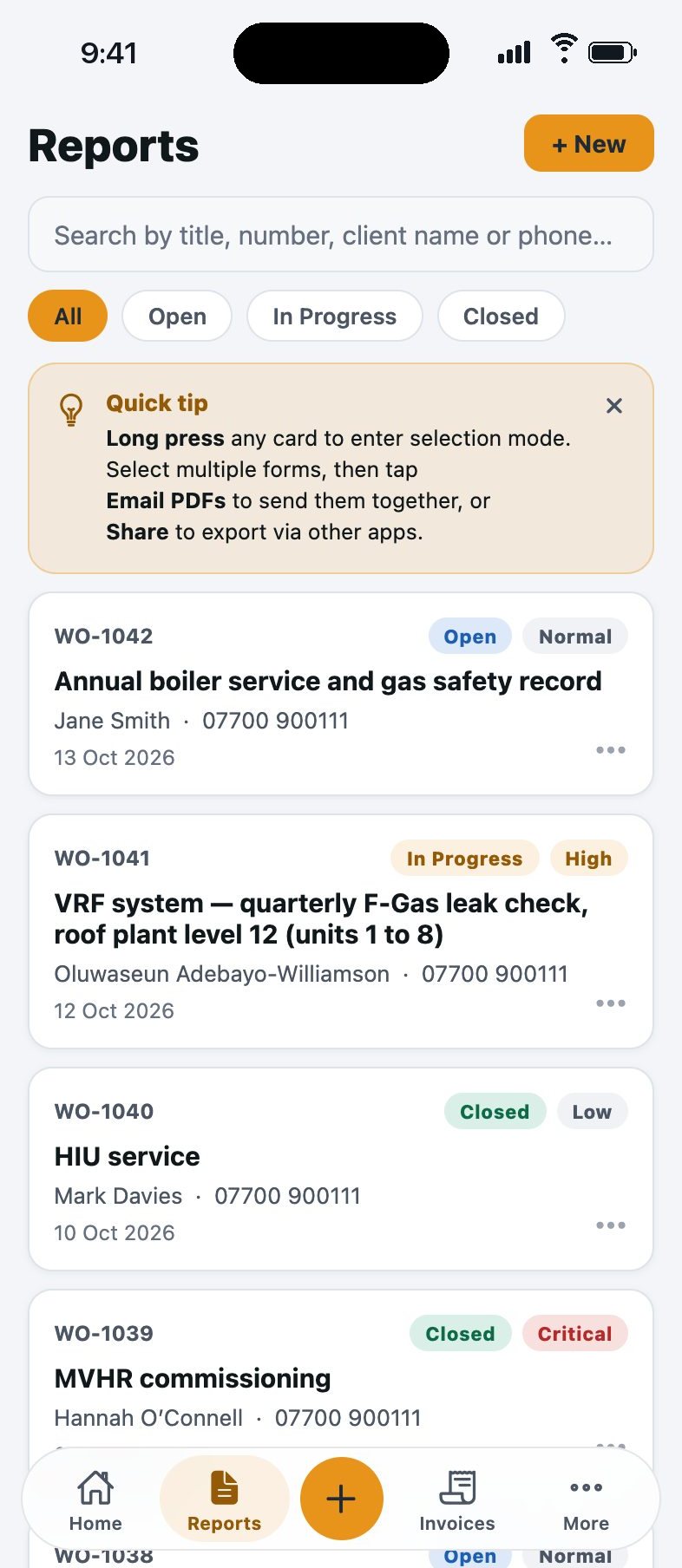
Every report, found in seconds
Search by title, number, client or phone. Filter by open, in progress or closed.
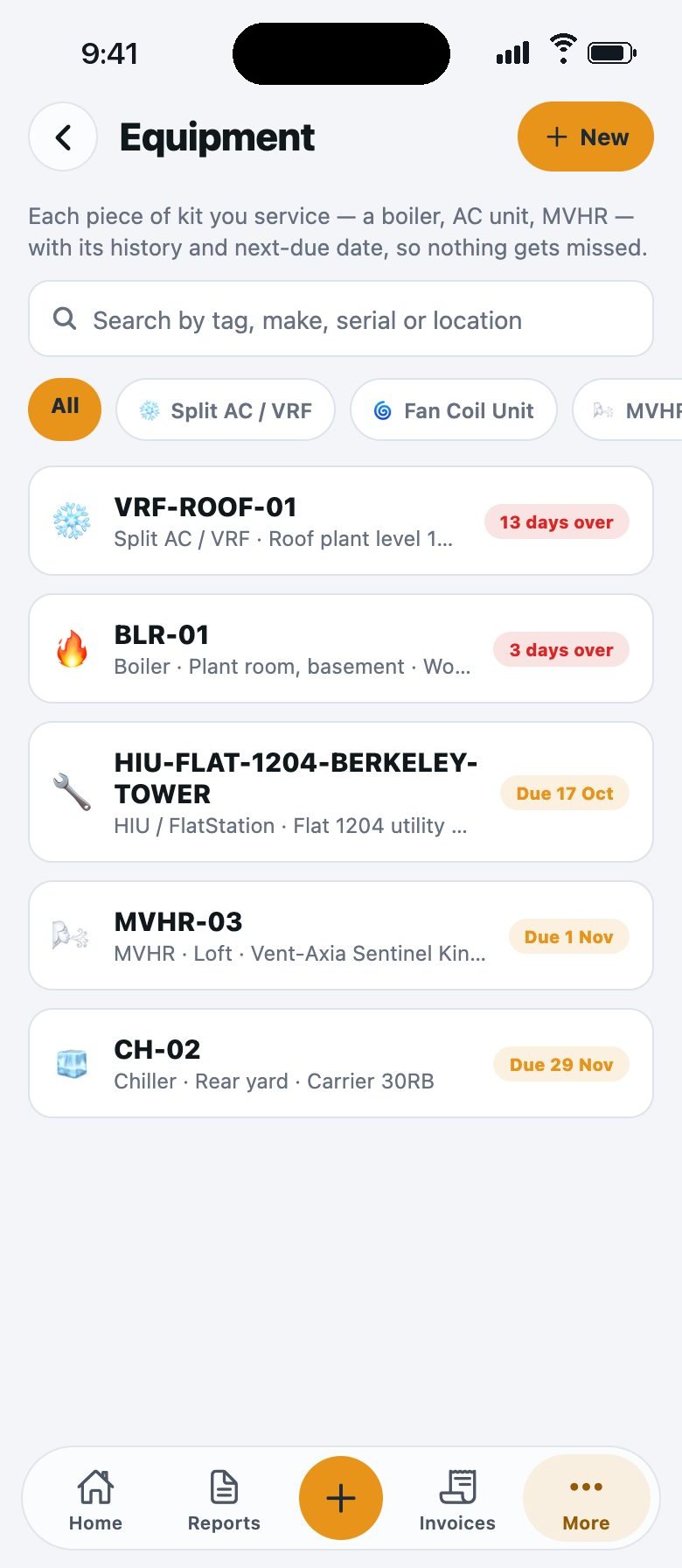
Nothing due gets forgotten
Every unit you look after, with its next due date and what is already overdue.


Screens from a sample account. The names and figures are made up.
Got your own job sheet? Build it as a form.
Maintivo ships with eight ready-made templates and a dedicated HIU commissioning wizard, but no two firms work exactly alike. If you already have a job sheet your customers know, or you look after something we have not built a form for (heat pumps, extract fans, whatever else), pick the job type and the skeleton builds itself. Then make it yours in five steps.
- 1Pick the job typeServicing, Commissioning, Inspection, or Blank / Custom. Maintivo pre-builds the right sections and you edit everything.
- 2Add or edit sectionsCondition, readings, tests, handover, shape the sections around how you actually work the job.
- 3Drop in the fields you needPass/Fail, Yes/No, photo, temperature, meter reading, rating, text, from a ready field library.
- 4Set asset details & declarationMake, model, serial and a compliance statement or sign-off declaration if the job needs one.
- 5Save to your libraryIt's there for the whole team to run on every future visit, consistent every time.
Want a hand building your first one? We'll walk you through it →
Do your next report in Maintivo
Your first report is free, on iPhone or in your browser. If it does not save you the write-up, you have lost nothing.
iPhone: No card. No account. First report free.In your browser: Free account, no card. First report free.
Write it once, not once on site and again in the van
That second pass is wasted time, and it's where the errors creep in. Maintivo records the client, the findings and the numbers as you go, then builds the report itself. One visit, one write-up, one clean record.
- Client & site detailsName, company, contact and full site address, reused across future jobs.
- Problem-by-problem findingsPhoto, description and the recommended next move for each issue found.
- Inspection summaryEverything gathered into one signed-off record at the end of the visit.
From signed report to sent invoice, in a few clicks
When you're ready to bill, invoicing plugs straight into the reports you're already producing. An admin opens a completed, signed job, generates a fully-branded invoice in a few clicks, then sends it out or downloads the PDF, with a dashboard that shows what's charged, outstanding and paid. Only admins can create and see invoices.
- “Ready to invoice” remindersSigned jobs with no invoice yet are flagged on the dashboard so nothing slips.
- Send or download, fully brandedEmail it to the client, a different contact or the accounts team, or download the branded PDF to keep.
- Admin dashboard onlyInvoicing is kept private to owners and admins, engineers never see it.
- Charged / outstanding / paidA simple finance view so you always know where the money is.
Invoicing is an optional add-on, the core inspection workflow works fully without it.
Ready to clear the admin pile?
Your first report is free. Run your next real job through Maintivo.
iPhone: No card. No account. First report free.In your browser: Free account, no card. First report free.
The bit that's easy to get quietly wrong
Nobody fails an F-Gas audit because they couldn't be bothered. They fail it because a charge in kilos tells you nothing about the tonnes of CO₂e it works out to, and the tonnes are what set your leak-check interval. Get the sum wrong once and you check that system at the wrong interval for a year without ever knowing. Maintivo does the sum on the form and shows its working.
- Gas & charge in, CO₂e outPick the refrigerant, enter the kilos. Maintivo applies the GWP and shows the tonnes of CO₂e it works out to.
- The leak-check interval, appliedIt tells you which band the system falls into and how often it has to be checked, so the interval isn't a judgement call in a plant room.
- Next due date, trackedThe unit goes in your asset register with its next check date. On iPhone the owner gets a notification at 90 days, 30 days, and again if it slips. On the web, what is due shows on the dashboard.
- Registration numbers on the recordYour Gas Safe number and F-Gas certification number print on the records you sign. Set them once.
Maintivo produces the record and shows its working. The registered engineer signs it and remains the competent person, Maintivo does not certify work.
The record from 14 months ago, found in 30 seconds
Maintivo keeps every inspection, photo and signed PDF in secure UK-GDPR cloud storage, searchable, backed up and audit-ready. When a client, insurer or inspector asks, the answer is a search, not a shoebox.
- Everything in one placeReports, photos and signatures tied to the client and site.
- Backed up & secureUK-GDPR compliant cloud storage you don't have to think about.
- Invoicing built inTurn a signed report into a branded invoice and send it, an optional add-on when you're ready.