 Maintivo

A business dashboard for trades: money and work at a glance
Maintivo’s Home shows what you charged, what came in and what is still owed, which signed jobs need an invoice, and where your work comes from. Know where the money and the work are, without opening a spreadsheet.


iPhone: No card. No account. First report free to fill in.In your browser: Free account, no card. First report free to fill in.
Money
‹ November ›
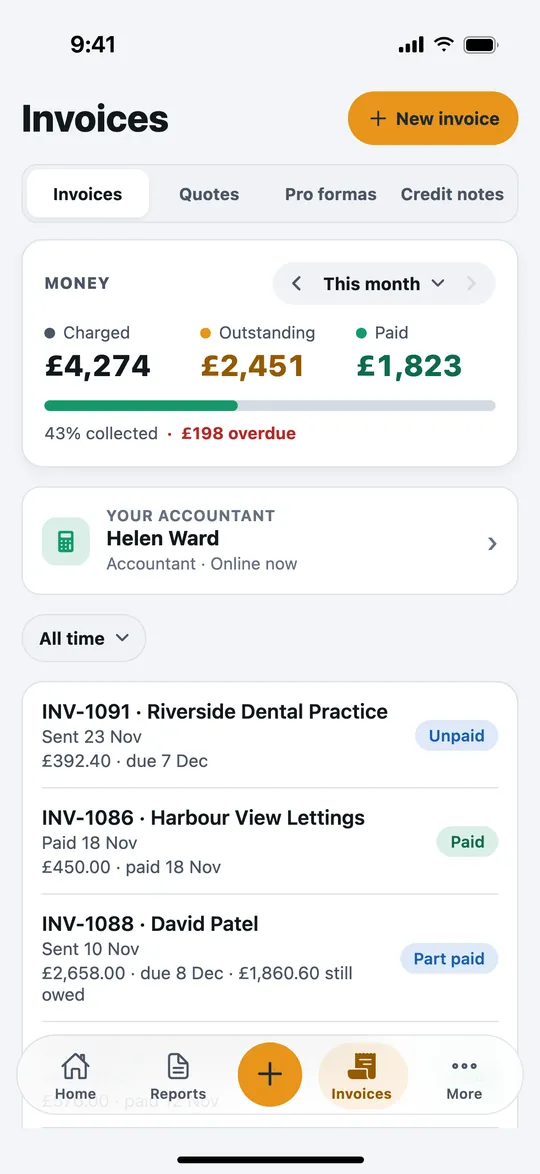
- Home shows Open, Overdue and Unsigned reports, and what needs attention today.
- Ready to invoice lists signed reports with no invoice yet.
- The Money card: Charged, Paid, Outstanding, % collected and overdue, by day, week, month or year.
- Step back about two years with the arrows.
- Work analysis by engineer, area, client or work type. Tap a row for the reports.
- Activity shows who did what to every report, and when.
- Office alerts as it happens, and a monthly summary email on the 1st.
- Team members see the figures when the owner ticks Business figures for them.
What does the owner dashboard show?
Home opens on what needs you today. Each card opens the list behind it.
Open, Overdue, Unsigned
Open reports, reports past their required-by date, and reports still waiting for the engineer’s signature.
Needs attention
Overdue invoices, and overdue or unsigned reports, so nothing sits forgotten.
Ready to invoice
Signed reports with no invoice yet. Finished work does not go unbilled.
Today’s jobs
Today’s date, today’s jobs and the next ones, from the team Diary.
Compliance & servicing
What is overdue, what is due in the next 30 days, and the units you look after.
People on your plan
How many people are on your plan, for example 2 of 3. Plus one search box for reports, clients, invoices and quotes.
Behind the cards: the team Diary, planned maintenance and invoicing from signed reports.
Your business, on the phone
Real screens from the iPhone app. Sample company and figures.
- 1
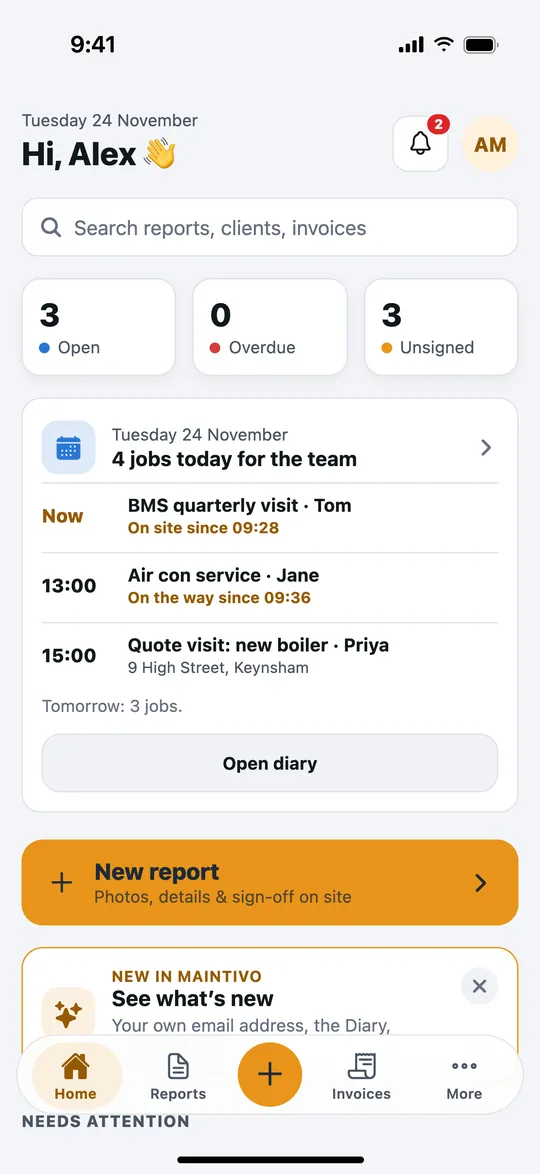
Home
What is open, overdue and unsigned, and what needs your attention.
- 2
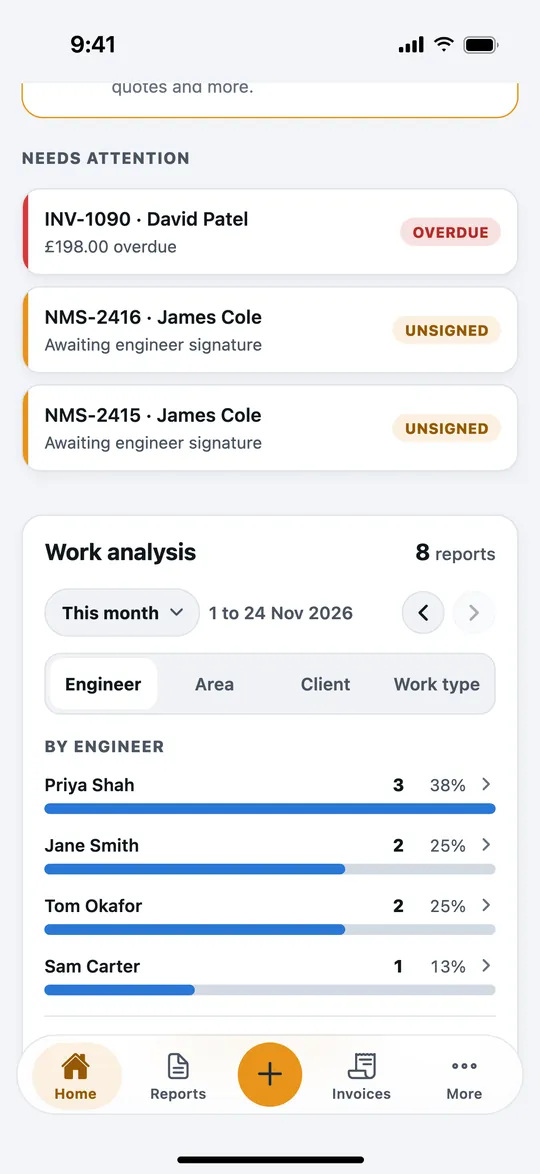
Needs attention and the work
What is overdue or unsigned, and each engineer’s reports this month.
- 3
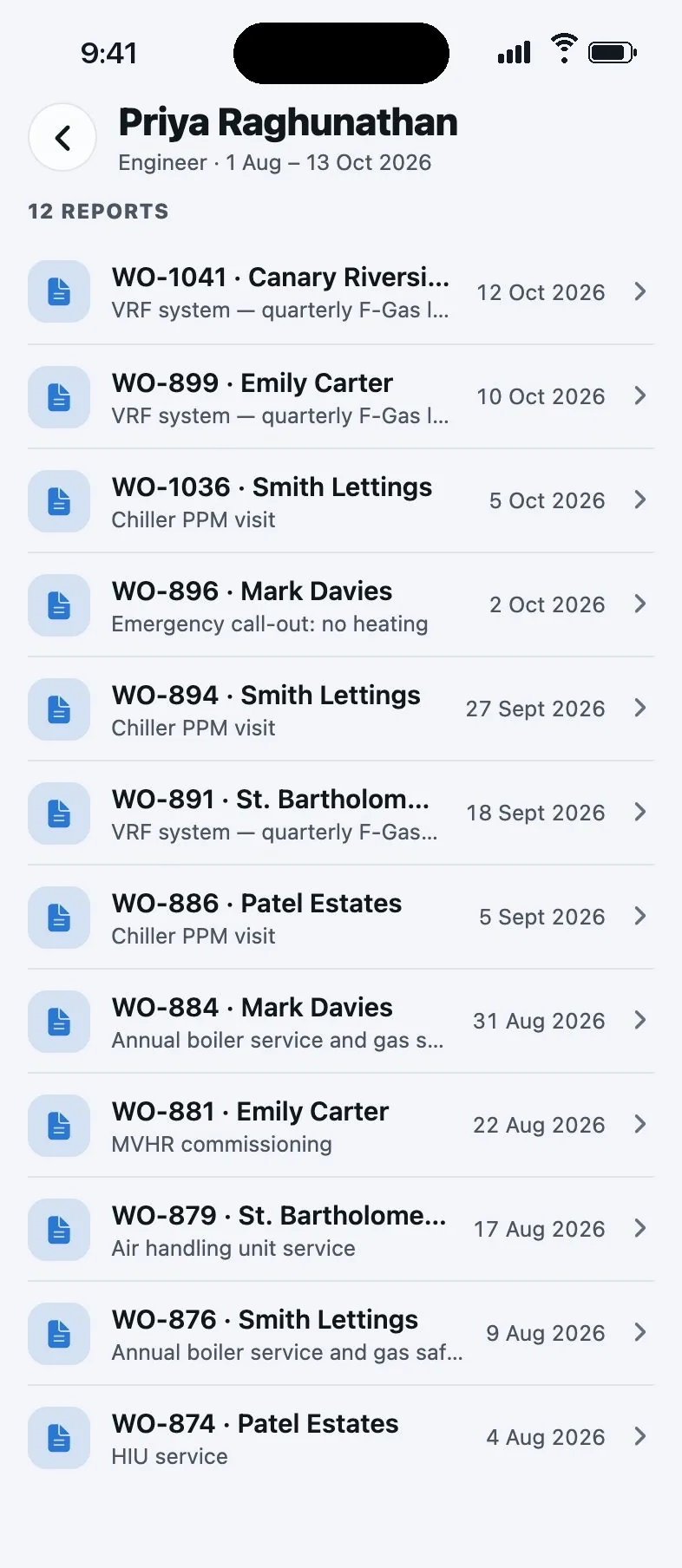
Who did what
Each engineer’s reports for the period.
- 4
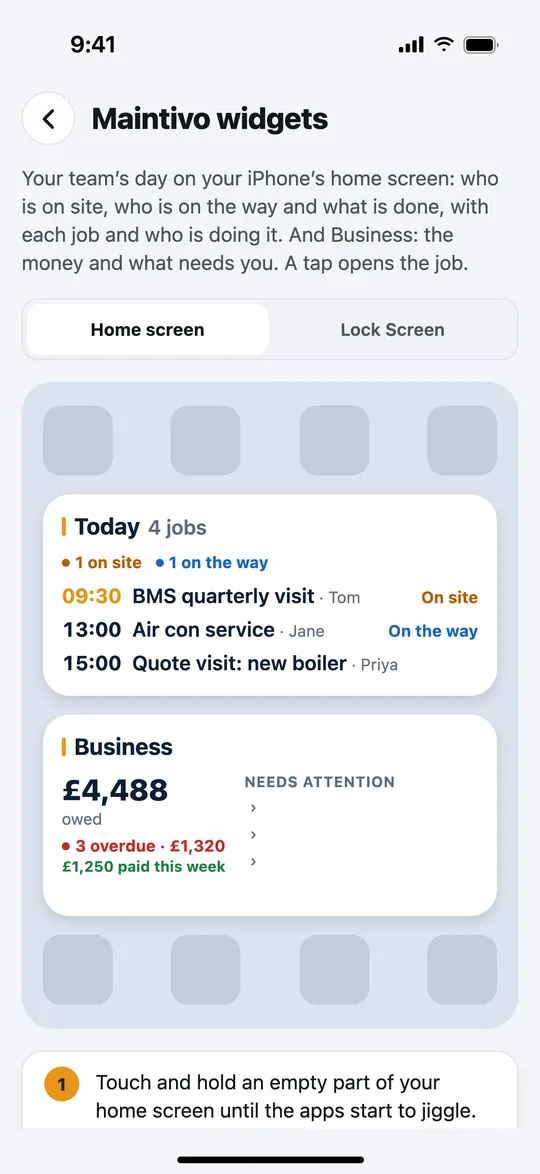
Widgets
Today and Business widgets for the home screen. Amounts stay hidden while the phone is locked.
How much have I charged, been paid and am I owed?
The Money card shows it for a day, a week, a month or a year. Use the arrows to look back about two years.
| Figure | What it tells you |
|---|---|
| Charged | What you invoiced in the period, after credit notes. |
| Paid | What came in, deposits included. |
| Outstanding | What is still owed. |
| % collected | How much of what you charged has been paid. |
| Overdue | What is owed past its due date. |
- ✓Deposits count as paidPaid includes deposits received, not just invoices paid in full.
- ✓Currencies kept apartInvoices in another currency show as a note, never added to your pounds.
- ✓Latest invoices underneathOpen the newest invoices from the card, without a search.
Owed money coming in late? See invoice payment reminders and card payments on invoices.
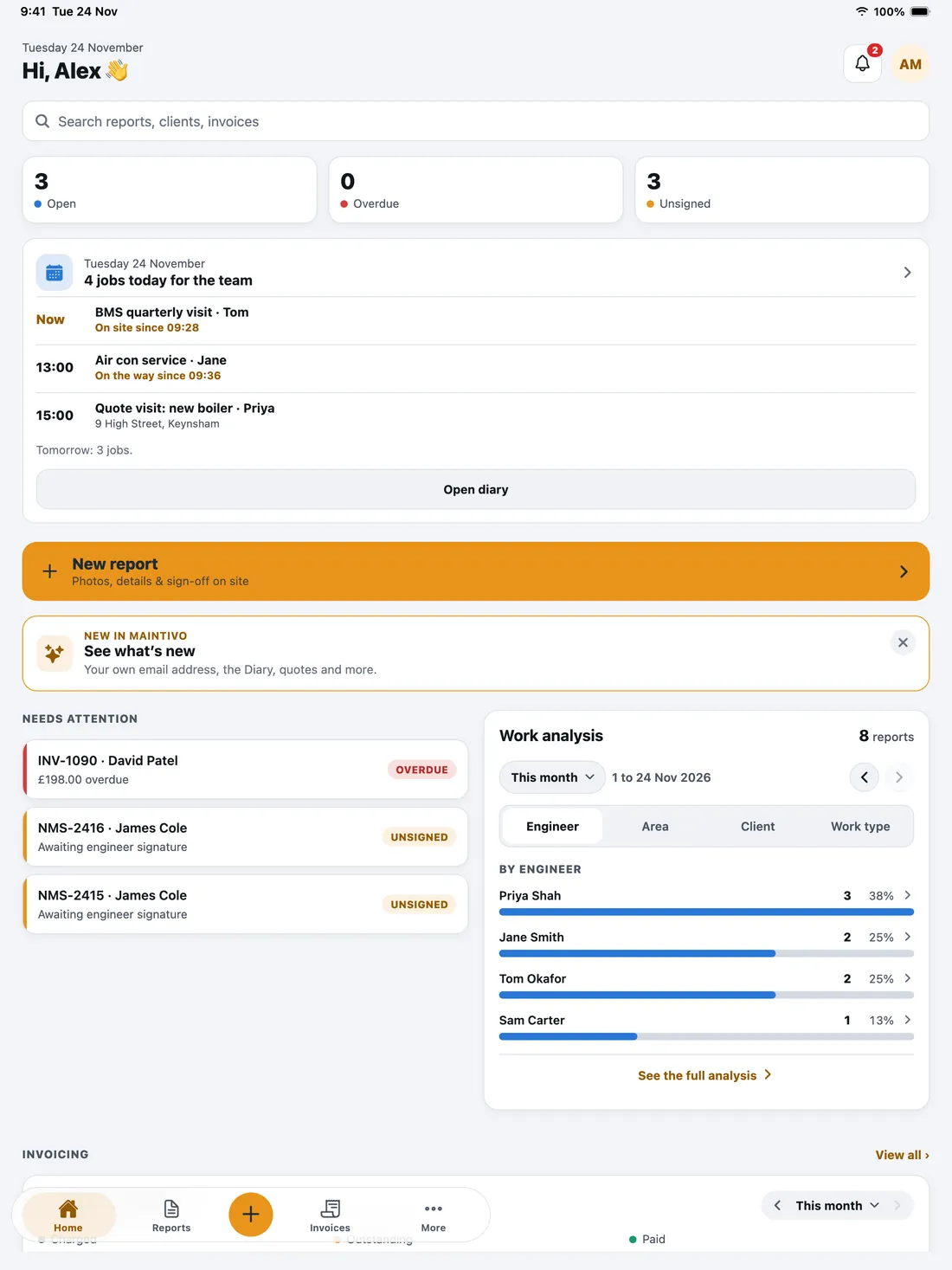
The whole picture on one screen
- Today’s jobsWho is on site and who is on the way.
- Needs attentionOverdue invoices and reports waiting for a signature.
- Work analysis and moneyReports by engineer, and this month’s invoicing, side by side.
Where does my work come from?
Work analysis groups your reports by engineer, area, client or work type. You see who is busy, which areas bring the work, and which clients you rely on.
Four ways to group
By engineer, by area (postcode district), by client or by work type.
Pick the period
This month, Last month, Last 3 months, Last 6 months, This year, or Custom up to 24 months.
Tap for the reports
Tap a row to list exactly the reports behind it.
| Area (postcode district) | Reports |
|---|---|
| BS8 | 42 |
| BS1 | 31 |
| BS3 | 18 |
| BA1 | 9 |
| Other | 6 |
Every report stays with its address: history by property.
Can I see who did what?
Yes. Activity shows who did what, and when, for every report, whether it was done on the iPhone app or on the web.
- ✓Created, changed and closedEvery new report, every change, and every report closed or reopened.
- ✓Deleted and restoredReports deleted, put back, or emptied from the bin.
- ✓EmailedEvery report sent to a customer.
- ✓Newest 300 entriesActivity shows the latest 300 things that happened to your reports.
| Time | Who | What |
|---|---|---|
| 08:52 | Sam | Created report WI-214, boiler service at 12 High Street |
| 10:15 | Priya | Changed report WI-211 |
| 11:40 | Jo | Closed report WI-209 after checking it |
| 14:05 | Jo | Emailed reports WI-205 and WI-206 to the customer |
| 16:30 | Jo | Restored report WI-198 from Recently deleted |
Your accountant has a history of their own: accountant access. On the day, see where each job is up to with job status and timesheets.
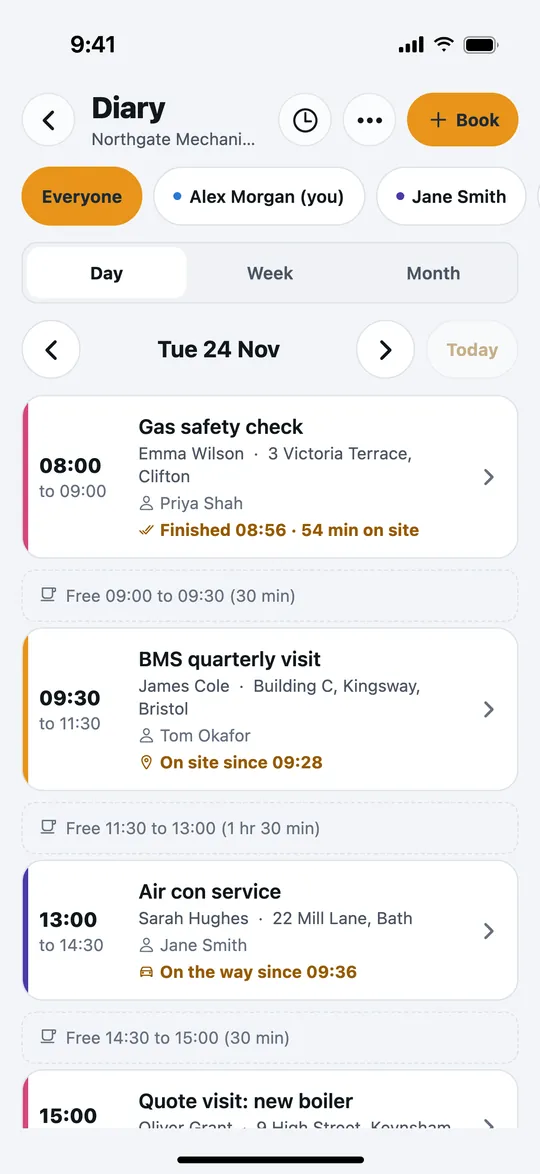
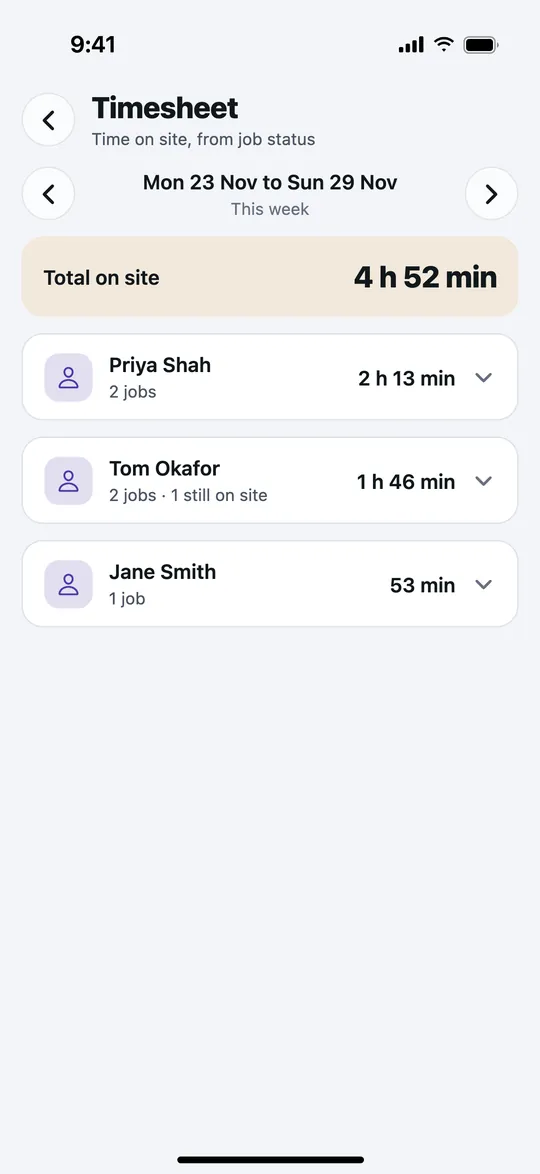
Who is where, and for how long
- Job status in the DiaryFinished, on site since 09:28 or on the way since 09:36, on each job.
- Free time between jobsThe gaps show between the jobs, so you can fit one in.
- TimesheetTime on site this week for each engineer, worked out from job status.
How do I hear about money and new reports as they happen?
Switch on the Office alerts you want in Settings. Each person picks their own, and nobody is told about something they did themselves.
Invoice paid
A customer paid by card: who, which invoice and how much.
Deposit paid
A customer paid the deposit, so the job can go ahead.
Refunds
A refund made in Stripe has been recorded on the invoice.
Quote accepted
A customer accepted your quote, ready to book and invoice.
New report
A notification when someone finishes a report: who, what and where.
New report email
The same news by email, for anyone who would rather read it there.
Money and quote alerts go to the owner and anyone with the Invoices and quotes tick. Report alerts go to the owner and anyone who can edit and close anyone’s reports.
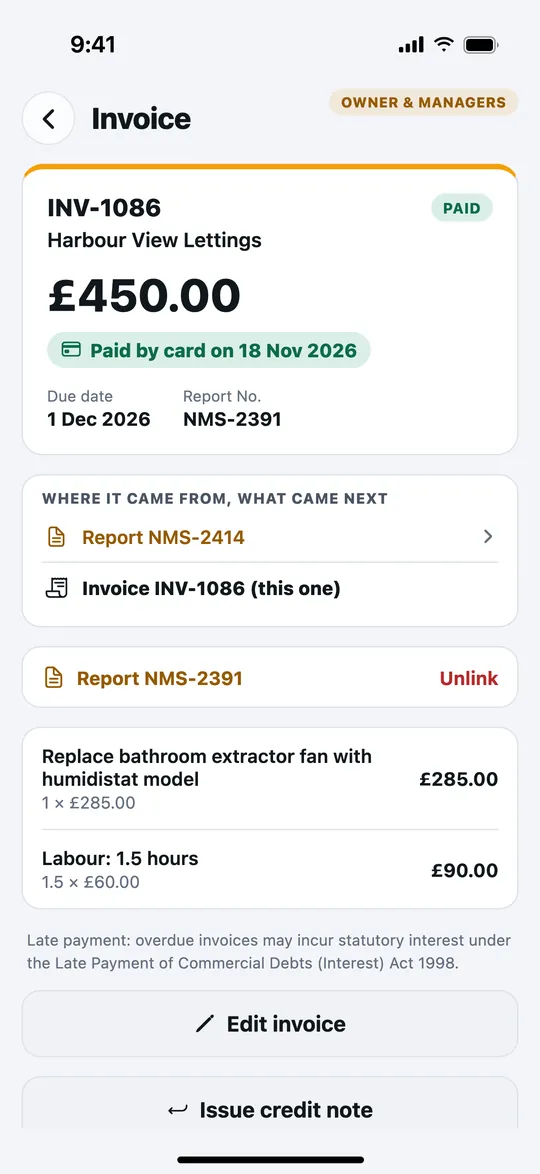
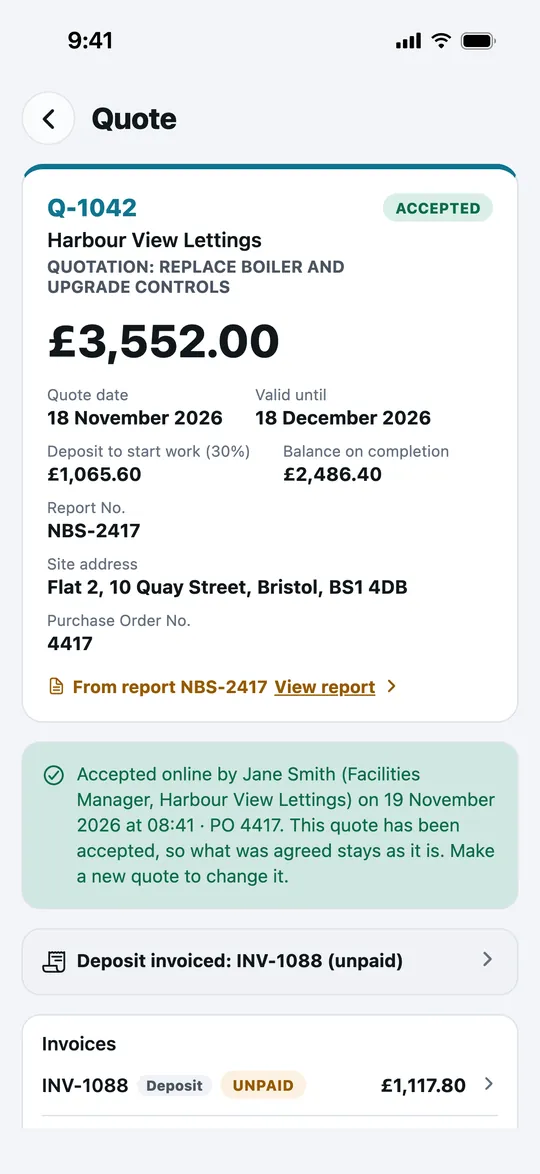
Paid, and accepted
- Paid by cardThe invoice shows Paid by card and the date. No checking the bank.
- Quote accepted onlineWho accepted it, their position, when, and their PO number.
- The deposit invoiceMade from the accepted quote, and shown on it.
What is in the monthly summary email?
On the 1st of each month, the owner gets last month in one email. Switch it off in Settings if you would rather not.
- ✓Last month’s jobsThe jobs done last month.
- ✓InvoicesLast month’s invoices.
- ✓What the accountant didIf you have given your accountant a login.
- ✓One tipA short tip for getting more from Maintivo.
Can my team see the money?
Not unless you say so. Figures need the Business figures tick, which the owner sets for each person.
| Who | Business figures | Money card |
|---|---|---|
| Owner | Always | Always |
| Manager | Ticked | Shown |
| Supervisor | Not ticked | Not shown |
| Engineer | Not ticked | Not shown |
The owner
Sees everything, always: the Money card, Work analysis, Activity and the monthly summary.
Your team
Sees the figures you tick for them. Engineers get a Home of their own: their Diary, equipment due and their own reports.
Everything here is in every plan: plans and prices and all features.
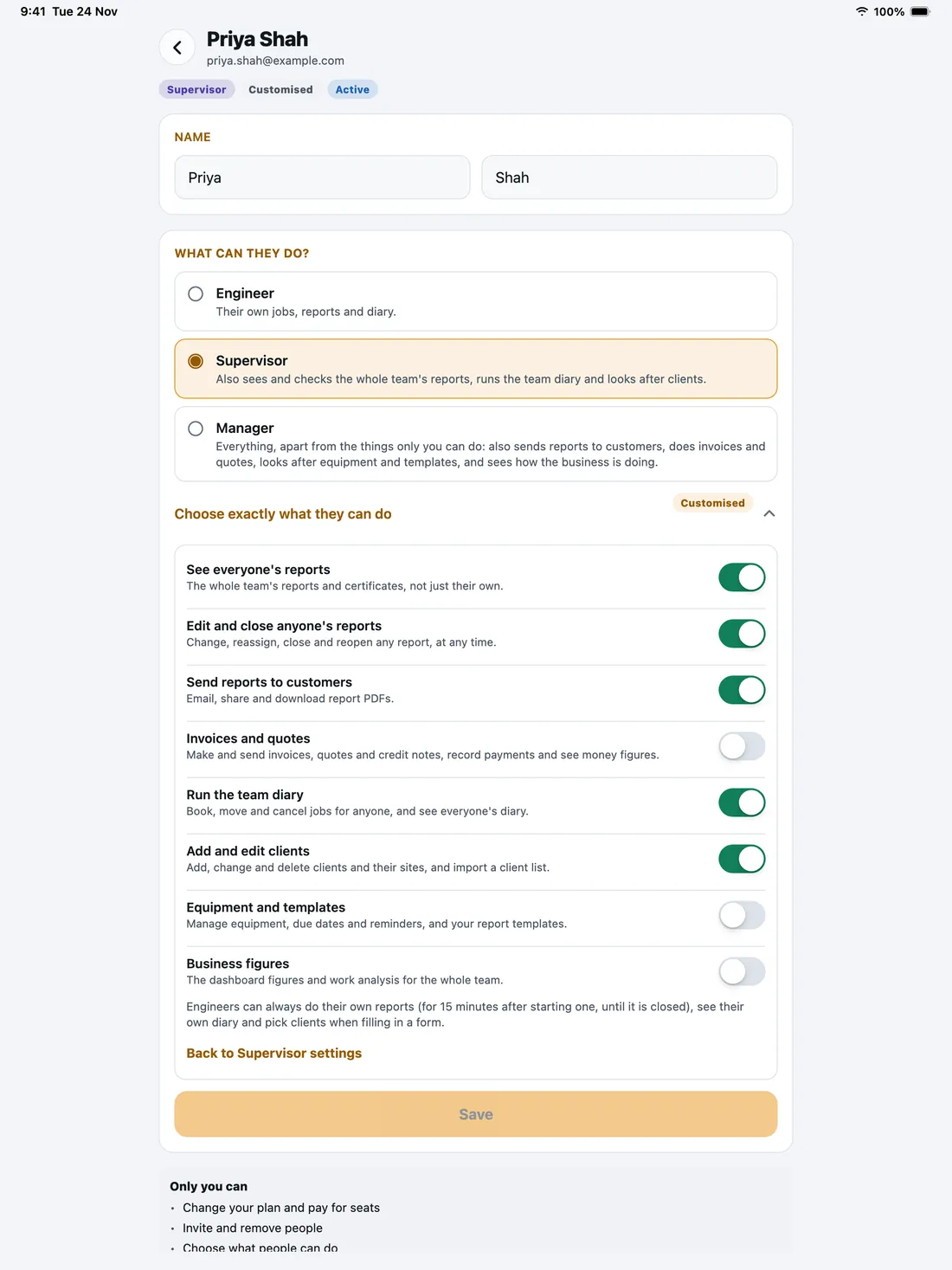
Business figures is a tick you set
- Pick a levelEngineer, Supervisor or Manager for each person.
- Business figuresThe dashboard figures and work analysis for the whole team. Leave it off and they are not shown.
- Invoices and quotesA separate tick for making invoices and seeing money figures.
Common questions
Yes. Home shows your counts, what needs attention, signed reports ready to invoice, the Money card and Work analysis, on the iPhone app and on the web.
Signed reports that have no invoice yet. Open one and make the invoice, so finished work does not go unbilled.
About two years. Pick a day, week, month or year and step back with the arrows.
Yes. Work analysis groups reports by engineer, area (postcode district), client or work type, from this month up to a custom period of 24 months. Tap a row to see those reports.
Not unless the owner ticks Business figures for them. It starts ticked for a Manager and off for Supervisors and Engineers, and the owner can change it for anyone.
Yes, in every plan, from £34.99 a month.
Do your next report in Maintivo
Your first report is free to fill in, with no card and no training day. Run a real visit through it and see.
iPhone: No card. No account. First report free to fill in.In your browser: Free account, no card. First report free to fill in.