 Maintivo

Photo evidence on job reports that settles a dispute
Every new photo can carry the date, the time and the postcode, printed along the bottom. Put it on the finding it proves, get the customer’s signature on the report, and if a customer ever disputes the work, the PDF answers for you.


iPhone: No card. No account. First report free to fill in.In your browser: Free account, no card. First report free to fill in.
Item 1: Leaking valve
Flat 3, 12 Albion Square · Boiler service
Weep at the isolation valve, before the repair.
Isolation valve weeping under the boiler.
Valve replaced. Joint dry on test.
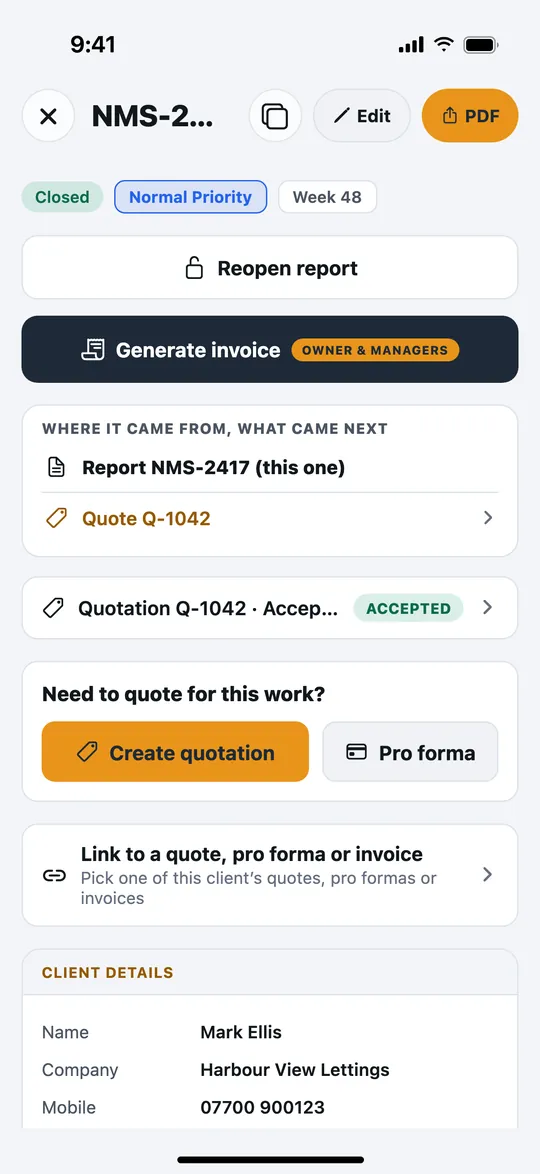
- The photo stamp prints the date, time and place (the postcode) along the bottom of each new photo.
- It is on by default. The owner switches it for the whole team in Settings > Photos.
- The position is read when a photo is added, and never tracked.
- Photos go on each finding, with captions, and a form can require a photo before it saves.
- The customer sees a “Check and sign” summary, then signs, or approves with their typed name.
- Photos and signatures are in the branded PDF, stored against the client and the site.
Why do job photos need a date and a place?
Because a photo with no date proves very little. A stamped photo shows when and where it was taken, so there is not much left to argue about.
A photo on its own
No date anyone can see and no place. Easy for a customer to say it was taken another day, somewhere else.
A stamped photo on a signed report
The date, time and postcode on the picture, next to the finding, with the customer’s signature on the same report.
How does the photo stamp work?
It prints the facts onto the photo itself, as you add it. Nobody has to remember to write the time down.
Take the photo
Press Take photo on a phone or tablet, or add a photo file.
The stamp goes on
The date, the time and the place, the postcode, are printed along the bottom of the new photo.
It goes on the report
On the finding it proves, with a caption if you like, and into the PDF the customer gets.
Nothing to set up
The stamp is on by default for every new photo.
One switch for the team
The owner turns it on or off for everyone in Settings > Photos.
Read once, never tracked
The position is read at the moment a photo is added. Nobody’s phone is followed around.
Photos from the library
A photo picked from the library uses its own date and place, if it has them.
Phone, tablet or computer
Take photo works on a phone or tablet. On a computer, add the photo files.
Printed into the picture
The stamp is part of the photo, so it stays with it in the report and the PDF.
Where do the photos go on a job report?
On the finding they prove. Each photo sits next to what was found and what was done, so the picture explains itself.
| Where | What you add | What it shows later |
|---|---|---|
| A finding on a standard report | Photos, a Description and a Solution | What was wrong, and what you did about it |
| A photo question on a form | The photo the form asks for | That the check was seen, on the day |
| Any report photo | A caption, printed under the photo | What the picture shows, in your words |
Some jobs should never be signed off without a picture. A form can make sure of it:
When you build the form
Tick the option to require a photo. Anyone with the “Equipment and templates” tick can build forms.
On site
The report will not save until it has at least one photo, so nobody leaves without the evidence.
What does the customer sign?
A report that shows them what they are agreeing to. On form reports, the customer sees a summary before anyone signs.
The summary before signing
Safe or unsafe, the next due date, what passed, what needs fixing, the photos, and any unanswered check or instrument out of calibration.
Engineer and customer
Both draw a signature on the screen. Press Sign again if it goes wrong.
If they would rather not draw
Choose “Client prefers not to draw a signature” and the customer approves with their typed name.
More on getting the job signed before you leave: job sign off with a customer signature.
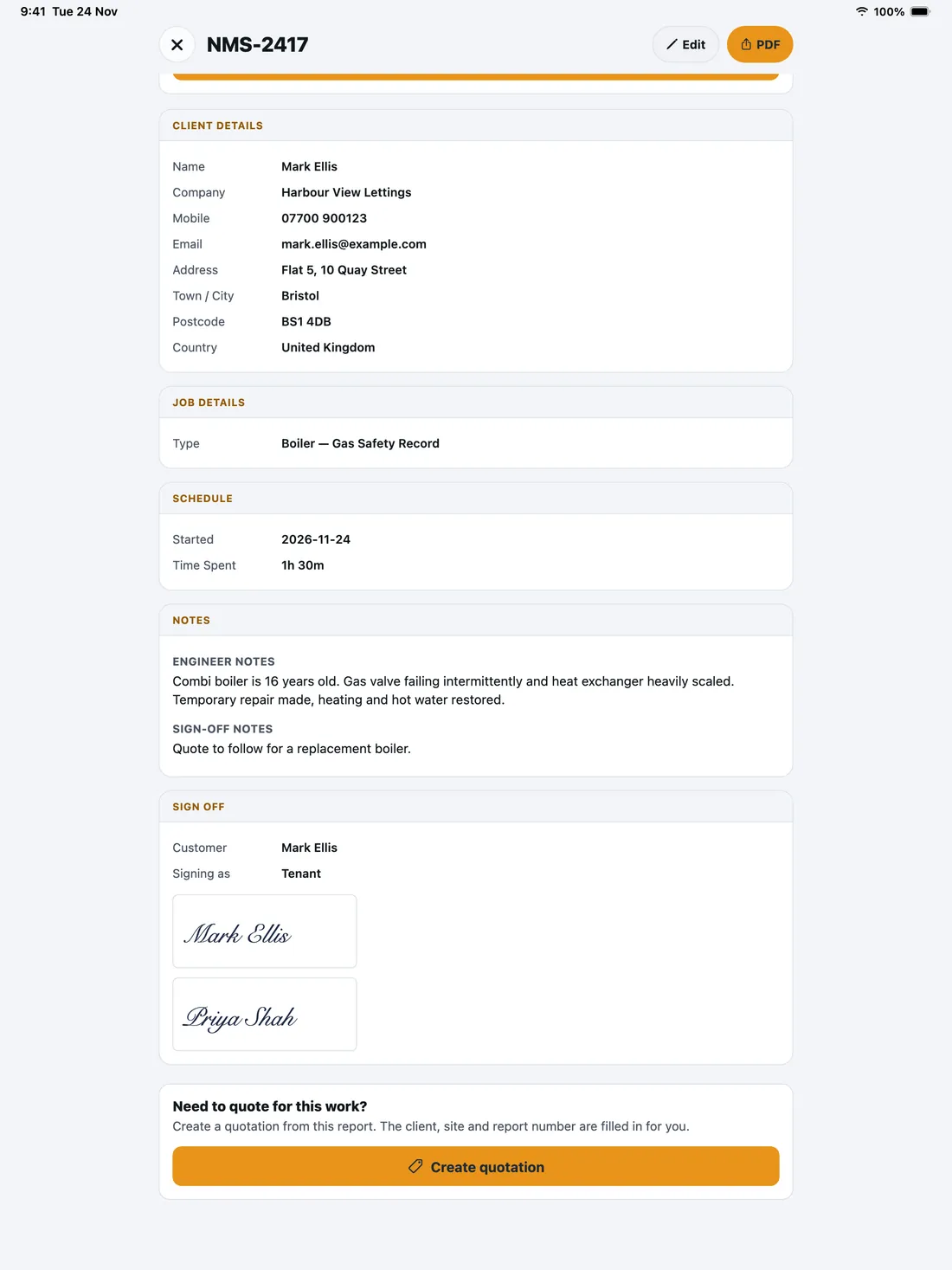
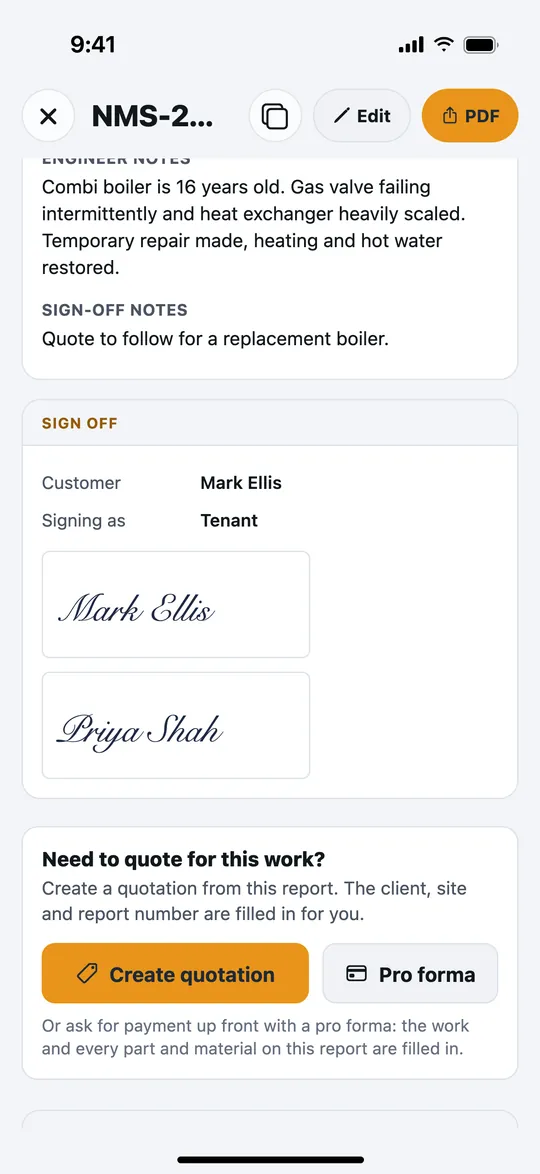
Signed on the screen, kept with the report
- Both signaturesThe engineer and the customer sign on the phone or iPad.
- On the PDFThe signatures go on the report the customer keeps.
What happens to the photos and signatures after the job?
They go into the branded PDF, and the report is stored against the client and the site. Months later, it is a search away.
- ✓In the branded PDFThe same A4 PDF on the phone and the web, with your logo, the photos and both signatures.
- ✓Stored against the client and the siteOpen the client or the site and the report is there, with the rest of that address’s history.
- ✓Locked once it is closedAn engineer can edit their own report for 15 minutes. Once it is reviewed and closed, engineers cannot change it.
- ✓Who did what, and whenActivity lists every report created, changed, closed, reopened or deleted, on the app or the web.
- ✓Ready to sendShare the PDF from your phone, or email several documents at once from the client’s or the site’s page.
When a customer disputes the work, this is what to open:
| The customer says | Open | It shows |
|---|---|---|
| “That was already broken.” | The photo on the finding | The fault, with the date, time and postcode on it |
| “You were never here.” | The stamped photos | When and where each one was taken |
| “You never did that part.” | The finding | What you found, what you did, and the photo |
| “We never agreed to that.” | The signed report | Their signature, or typed name, on the report |
See also maintenance history by property, job sheets and the equipment register. Included in every plan, from £34.99 a month: see pricing.
- 1
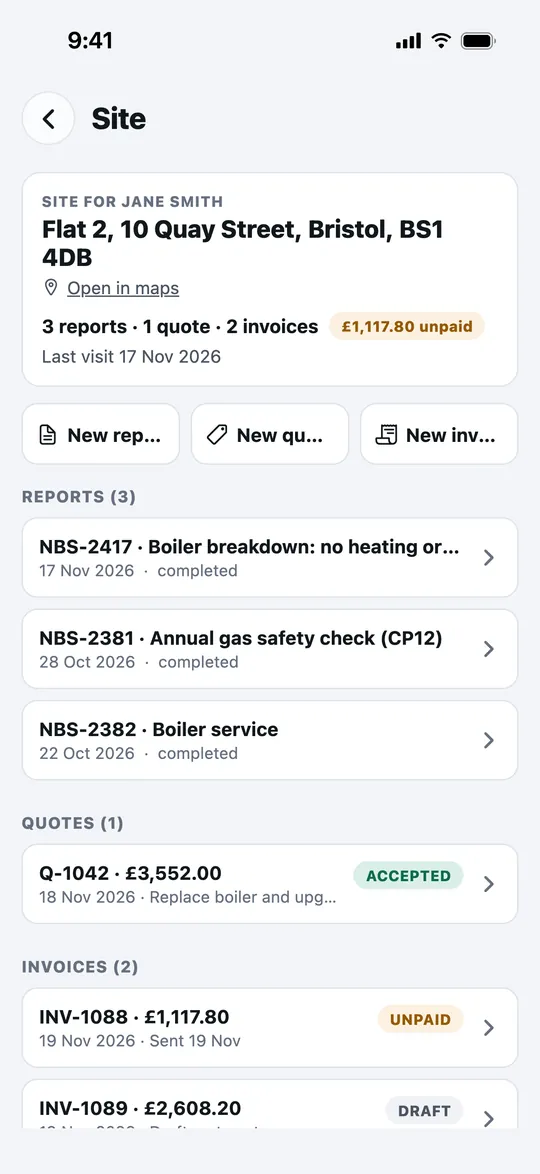
Stored against the site
Every report, quote and invoice at the address.
- 2
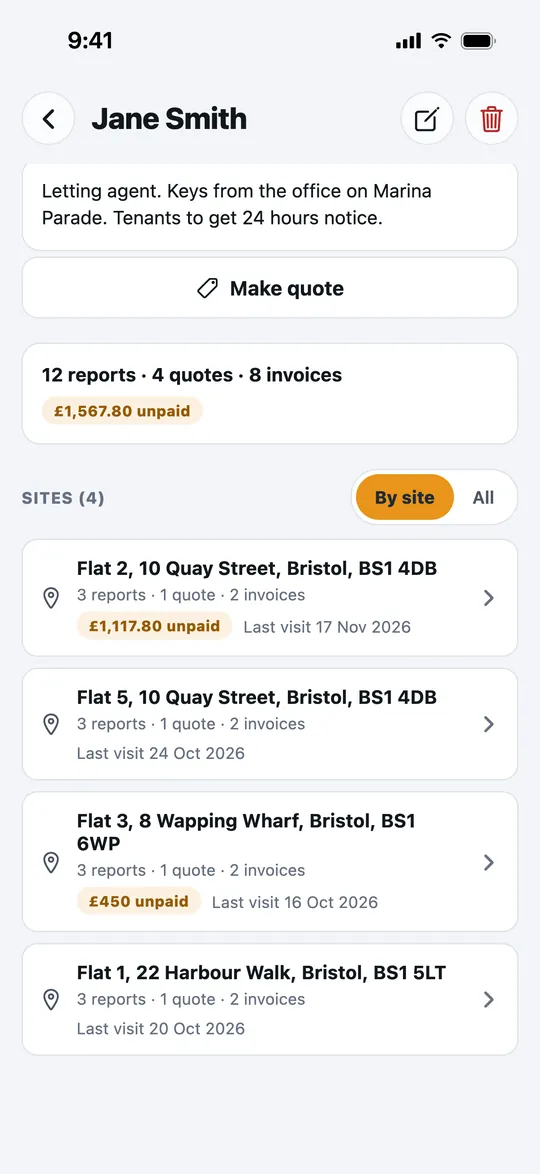
And against the client
Each of their sites, with its reports and last visit.
- 3
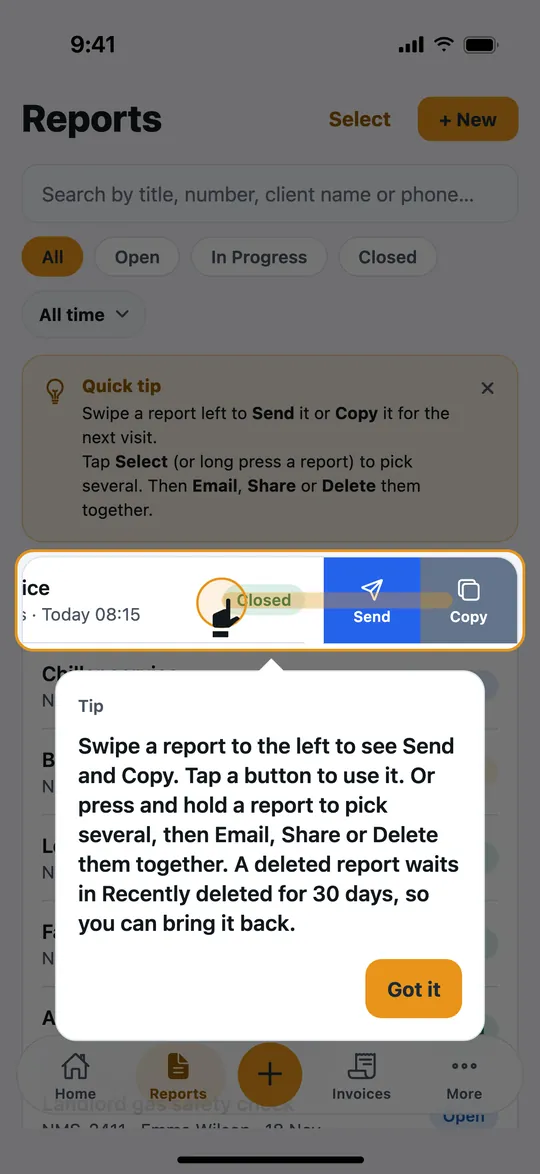
Ready to send
Swipe a report in the list for Send or Copy.
Real screens from the iPhone app. Sample company and names.
Common questions
A line printed along the bottom of each new photo with the date, the time and the place, the postcode. It shows when and where the photo was taken.
Yes. It is on by default, and the owner switches it on or off for the whole team in Settings > Photos.
No. The position is read at the moment a photo is added, to print the place on it, and never tracked. There is no live map.
A library photo uses its own date and place, if it has them, not where you are when you add it.
Yes. Choose “Client prefers not to draw a signature” and the customer approves with their typed name.
Yes. A form can require at least one photo before it saves.
Yes, in every plan, from £34.99 a month. 14 days free and no contract.
Do your next report in Maintivo
Your first report is free to fill in, with no card and no training day. Run a real visit through it and see.
iPhone: No card. No account. First report free to fill in.In your browser: Free account, no card. First report free to fill in.