 Maintivo

Equipment register app: never miss a service or a leak check again
Add each unit you look after once: what it is, where it is and how often it needs a service. Maintivo works out when every service and F-gas leak check is due, reminds the office at 90 days, 30 days and when overdue, and moves the date on when the visit is done.


iPhone: No card. No account. First report free to fill in.In your browser: Free account, no card. First report free to fill in.
AC-03 · Split AC / VRF
Roof, plant area · R410A, 8.4 kg · 17.5 t CO₂e
Every 12 months, GB F-gas rules
Service every 6 months
Service, report WI-214
- One register for every unit you look after, searchable by tag, make, model, location or serial.
- Each unit has a service interval in months, so the next service due date is set for you.
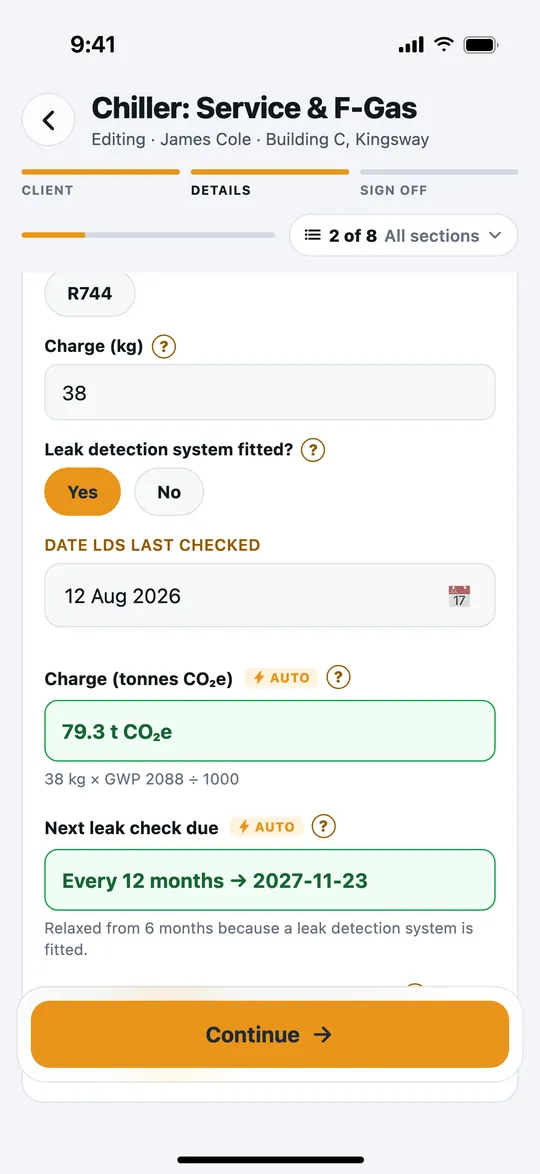
- For air conditioning, heat pumps and chillers, Maintivo works out the CO₂e and the legal leak-check interval.
- The owner and anyone with the “Equipment and templates” tick are reminded at 90 days, 30 days and when overdue.
- Start job opens a report filled in with the unit’s details. Saving it marks the check done and sets the next date.
- Reminders go to your firm, never to your customers.
How does the equipment register work?
You add each unit once. After that, every visit keeps its dates right for you.
Add the unit
Press Add unit: tag, make, model, serial no., location, install date and how often it needs a service. For air conditioning, heat pumps and chillers, add the refrigerant too.
Get reminded
The office is told 90 days and 30 days before a check is due, and again if it goes overdue. Home lists what is due.
Do the visit
Press Start job on the unit. The report opens with its details filled in, and saving it marks the check done and schedules the next one.
The register, on the phone
Real screens from the iPhone app. Sample company and equipment.
- 1
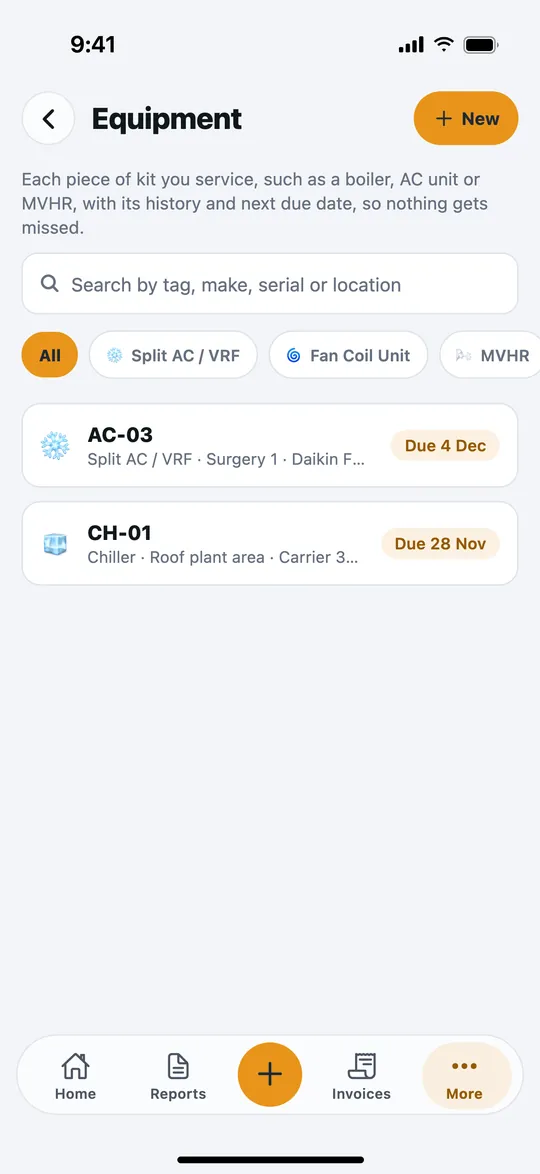
Every unit you look after
Each unit with its type, location and next due date.
- 2
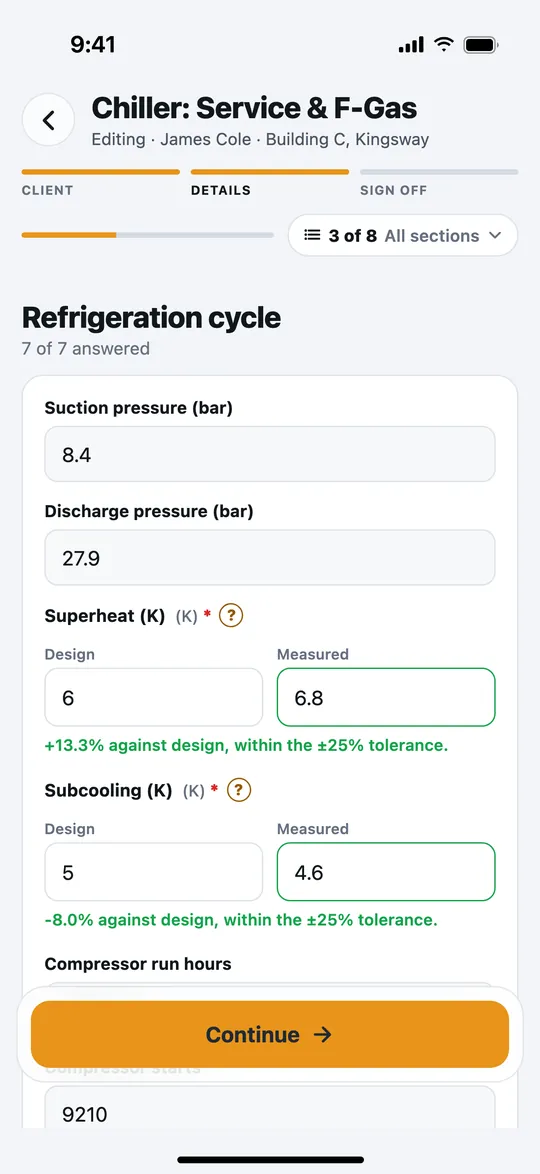
The readings on the form
Pressures, superheat and subcooling against design.
- 3
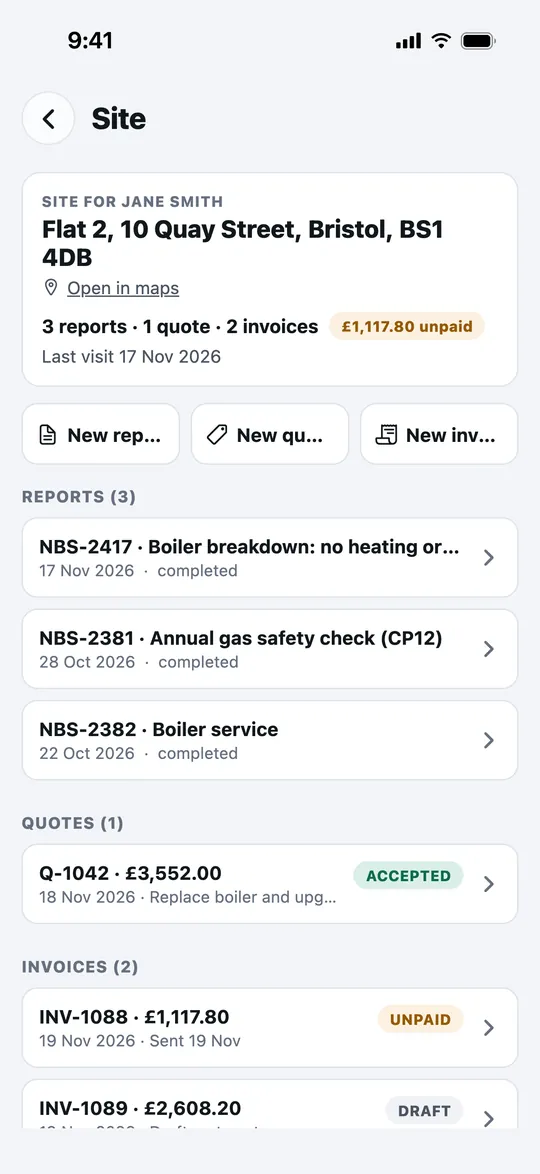
History by site
Every report, quote and invoice at the address.
What does a missed service cost you?
Work you could have booked, and a customer who starts to wonder what they pay you for. A register that reminds you turns each due date into a booked job.
A spreadsheet or a wall chart
Works until the month nobody opens it. Dates are worked out by hand, and a wrong leak-check interval can go unnoticed for a year.
The register in Maintivo
Due dates come to you as notifications. The leak-check interval is worked out from the refrigerant, and each visit moves the next date on by itself.
What equipment can you register?
Anything you service on a schedule. Pick the type when you press Add unit.
Split AC / VRF
Air conditioning, with the refrigerant fields for F-gas leak checks.
Chiller
With the refrigerant fields, so the leak-check interval is worked out for you.
Heat Pump
With the refrigerant fields too, and its own service interval.
Boiler and Gas appliances
Each with how often it needs a service. Landlord gas safety dates: see CP12 renewal reminders.
MVHR, Extract System, Fan Coil Unit
Ventilation and terminal units, each with its own service interval.
HIU / FlatStation and Other
Heat interface units, and Other for anything else you look after.
| Field | What it is for |
|---|---|
| Tag | Your own name or number for the unit, like AC-03, so it is quick to find. |
| Make, model and serial no. | What the unit is, on the record and on the report. |
| Location | Where it is on site, like “Roof, plant area”. |
| Install date | How old the unit is. |
| Service every (months) | With the date of the last service, sets the next service due date. |
| Notes | Anything worth knowing next time. |
| Client, on the web | Who the unit belongs to. |
How is the leak-check interval worked out?
From the refrigerant, the charge and your company’s country. You fill in the facts, and Maintivo does the sum and sets the date.
- ✓Refrigerant and charge (kg)Maintivo works out the CO₂e from them, so nobody does it on a calculator on the roof.
- ✓Hermetically sealed, and leak detection fittedBoth can change the interval, so both are on the unit.
- ✓Last leak checkThe next one is set from it, by the rules that apply to you.
| Your company is in | Rules used | Leak-check date |
|---|---|---|
| Great Britain | GB F-gas regulations | Worked out by Maintivo |
| The EU | EU Regulation 2024/573 | Worked out by Maintivo |
| The US | US EPA rules | Worked out by Maintivo |
| Anywhere else | Set by the engineer | The engineer sets the interval and the date |
The record itself is in the F-gas leak check app, and the bands are explained in how often a leak check is due.
- 1
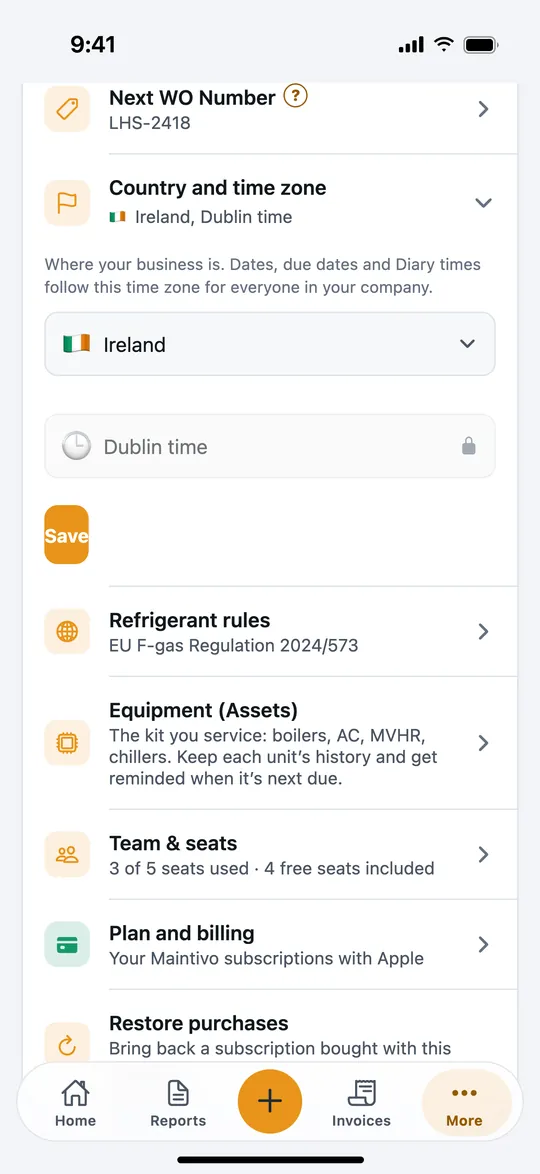
Ireland: EU rules
Refrigerant rules for the EU F-Gas Regulation.
- 2
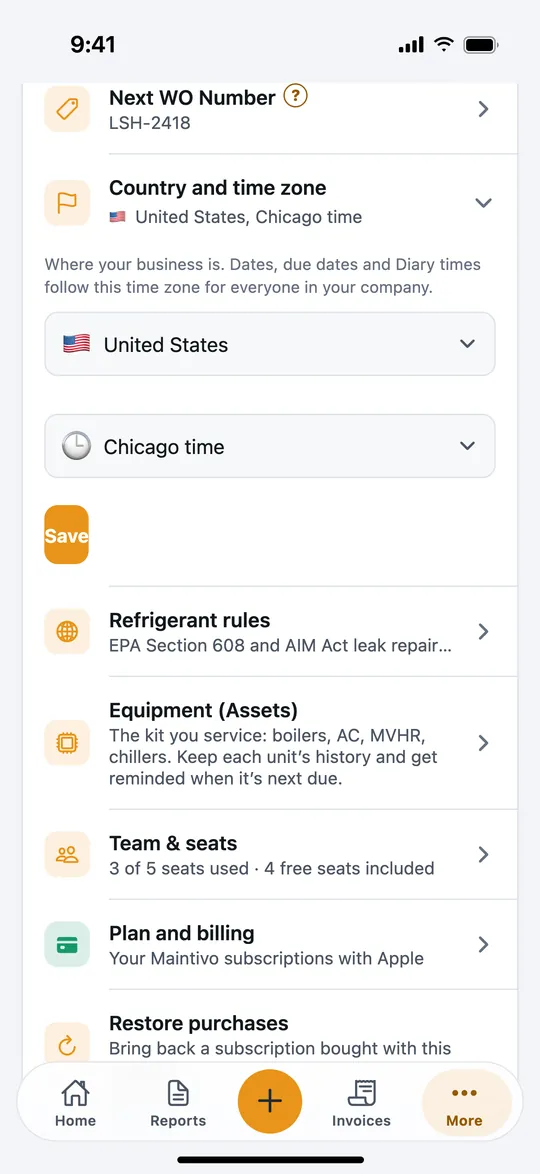
United States: EPA rules
Refrigerant rules for EPA Section 608.
- 3
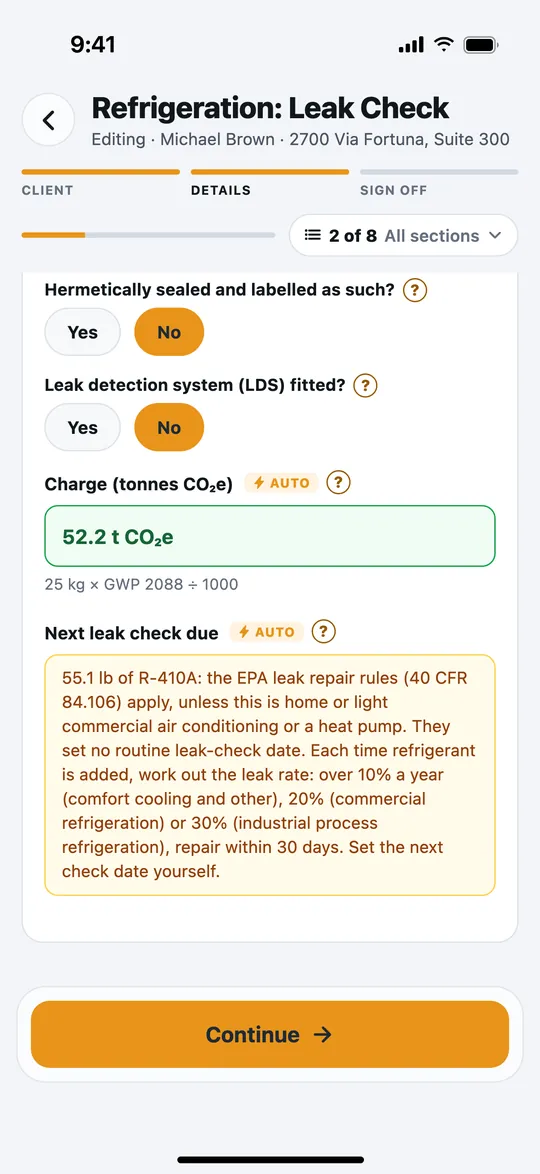
A US leak check
The charge in tonnes CO2e and the leak repair rules.
Real screens from the iPhone app. Sample company and names.
What is on a unit’s page?
Everything about one unit in one place: what is due, what was done, and the buttons to act on it.
Next due items
The next service, the next leak check and any reminder you added, each with its date.
A report, already filled in
Start job opens a report with the unit’s tag, make, model and location in place.
Every report on this unit
Each visit to the unit, so the next engineer sees what was done before.
Your own reminders
Pick the kind, add a note and a due date. Cancel it if plans change.
Done and cancelled
Completed and cancelled items stay on the page, so you can show what happened and when.
Taken out, history kept
Decommission a unit and its open reminders are cancelled. Its visits and history stay.
When the visit is done, the dates move on by themselves:
The engineer
Presses Start job, fills in the report on site and saves it.
Maintivo
Marks the due check done and schedules the next: the service by its interval, the leak check by the rules, and a follow-up check after a leak repair.
Decommissioning a unit and cancelling a reminder need the “Equipment and templates” tick.
Who is reminded, and when?
Your firm is, three times for each check. Customers are never sent these reminders.
| When | What happens |
|---|---|
| 90 days before | A notification that the check is coming up. |
| 30 days before | A notification to schedule an engineer. |
| Overdue | A notification to book it in. |
- ✓The owner, and the “Equipment and templates” tickThe owner gets them, and so does anyone the owner gives that tick to.
- ✓In the iPhone app and the browserOn any browser where notifications are on in Settings > Notifications. For browser notifications on an iPhone, add the web app to the Home Screen.
- ✓Listed on HomeHome shows Overdue, Due in 30 days and Units, with the next items. An engineer’s Home shows “Equipment due”.
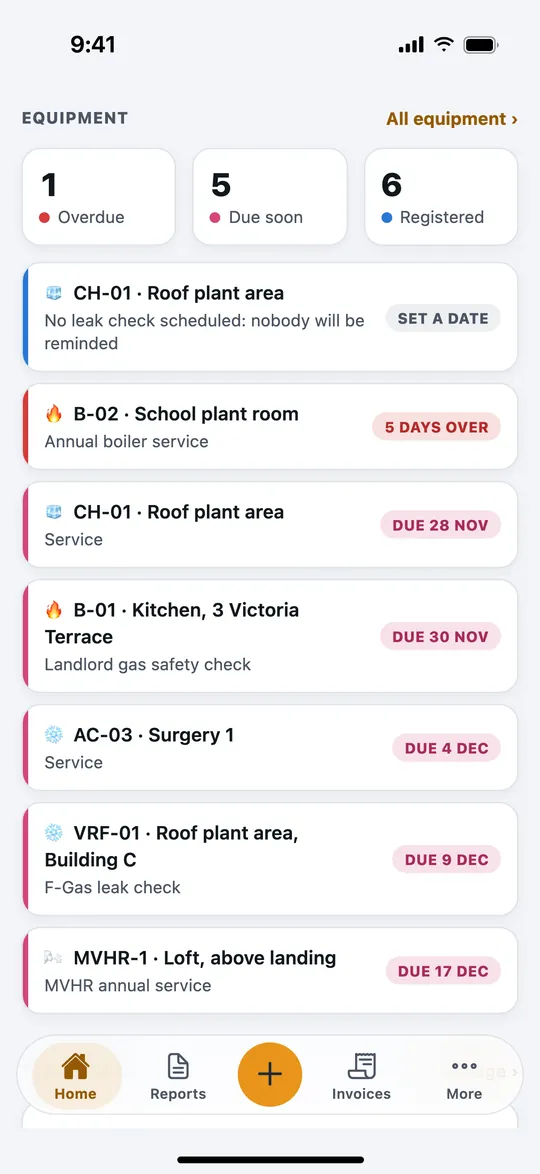
What is overdue and due soon, on the Home screen
- The countsOverdue, due soon and registered units, at the top.
- Each item with its dateThe unit, where it is, what is due, and the date or the days it is over.
- Nothing left without a dateA unit with no leak check scheduled shows Set a date, because nobody would be reminded.
Can due services book themselves into the Diary?
Yes, if the owner switches on Book due services into the Diary. Every open due item, leak checks and follow-ups included, becomes a Diary job ahead of time.
- ✓2 to 8 weeks aheadThe owner picks how far ahead: 2, 4, 6 or 8 weeks.
- ✓09:00 on the due dateOn a weekday. A weekend date moves to the Monday after, and nothing is booked in the past.
- ✓For the engineer who did the last oneIf they have left the team, the job waits with nobody assigned, for the office to pick.
- ✓The customer is not emailedThe job says to check the time with the customer. Agree it, then send the appointment.
The full rules are in planned maintenance scheduling. Every visit also adds to the history of each property, and jobs sit in the team Diary. Included in every plan, from £34.99 a month: see pricing.
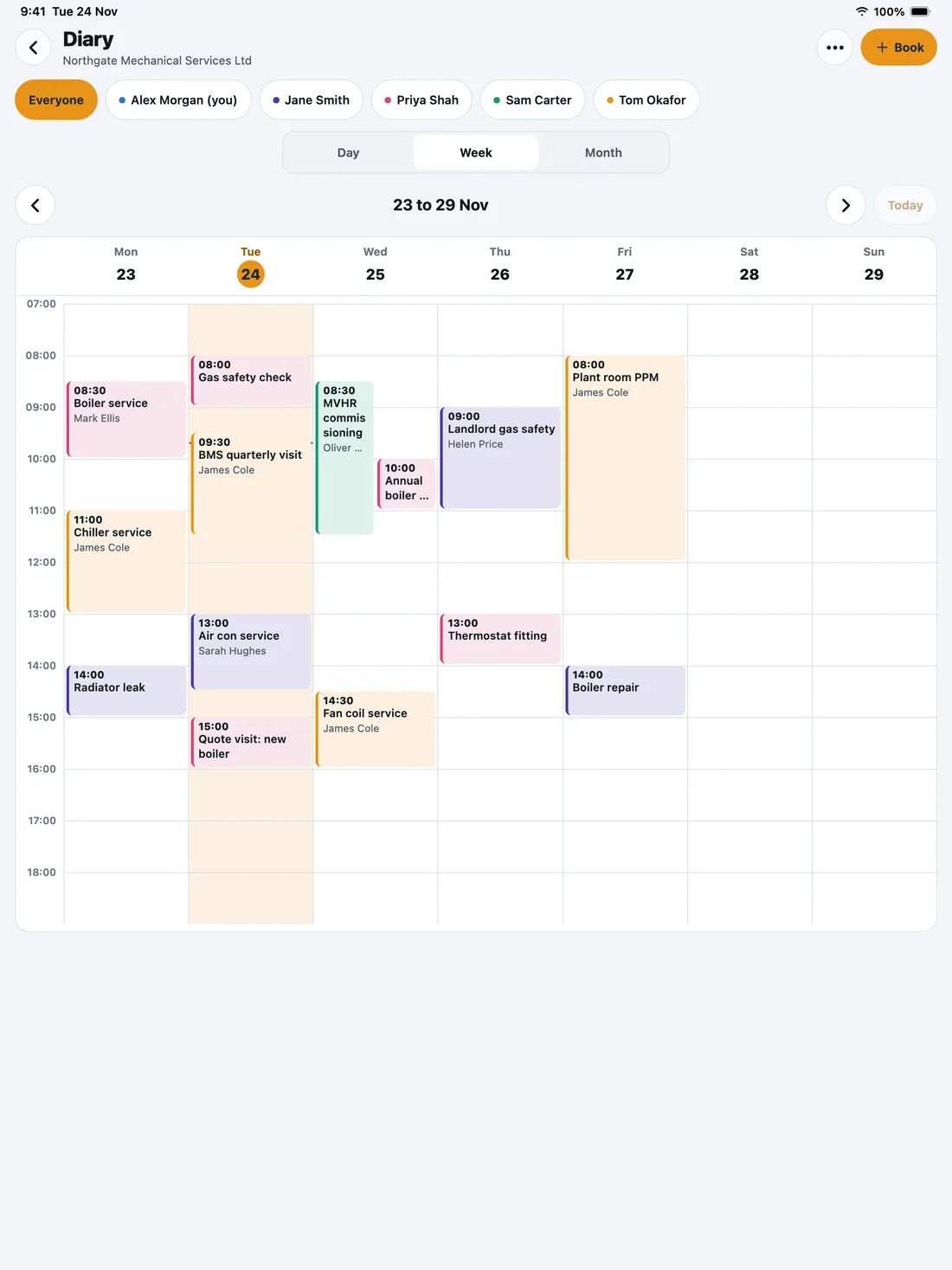
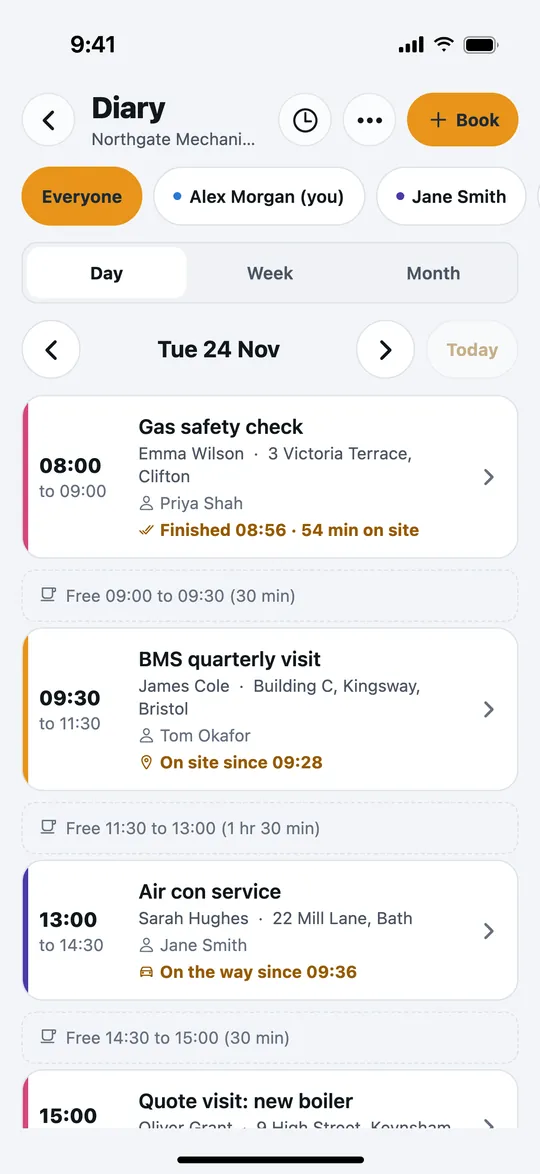
Where booked services land
- The week on iPadThe whole team laid out by day, one colour per engineer.
- The day on iPhoneEach job with its engineer and status, and the free time between.
Common questions
A list of every unit you look after: what it is, where it is, and when its next service and leak check are due. In Maintivo it is the Equipment screen, and each unit has its own page with its visits and history.
Split AC / VRF, Fan Coil Unit, MVHR, Extract System, HIU / FlatStation, Boiler, Heat Pump, Chiller, Gas appliances and Other. Anyone on the team can add a unit.
From the refrigerant, the charge, whether the unit is hermetically sealed or has leak detection fitted, and the date of the last leak check. It uses the rules for your company’s country: GB F-gas regulations, EU Regulation 2024/573 or US EPA rules. Elsewhere, the engineer sets the interval and the date.
No. Reminders go to your firm: the owner and anyone with the “Equipment and templates” tick, in the iPhone app and in the browser. Your customers hear from you when you send them the appointment.
No. Start job opens a report for the unit, and saving it marks the due check done and schedules the next one.
Press Decommission. Its open reminders are cancelled, and its visits and history are kept.
Yes, in every plan, from £34.99 a month. 14 days free and no contract.
Do your next report in Maintivo
Your first report is free to fill in, with no card and no training day. Run a real visit through it and see.
iPhone: No card. No account. First report free to fill in.In your browser: Free account, no card. First report free to fill in.