 Maintivo

Switch to Maintivo and keep your invoice numbers
Tell Maintivo the last invoice, quote and report number you used, and it carries on from the next one in the same style. Delete a draft that never went out and its number is given back, so your sequence stays unbroken.


iPhone: No card. No account. First report free to fill in.In your browser: Free account, no card. First report free to fill in.
Carry on from your old numbers
Type the last number you used, as it looked.
Next: INV-0458
Next: Q-89
Starts at WI-001
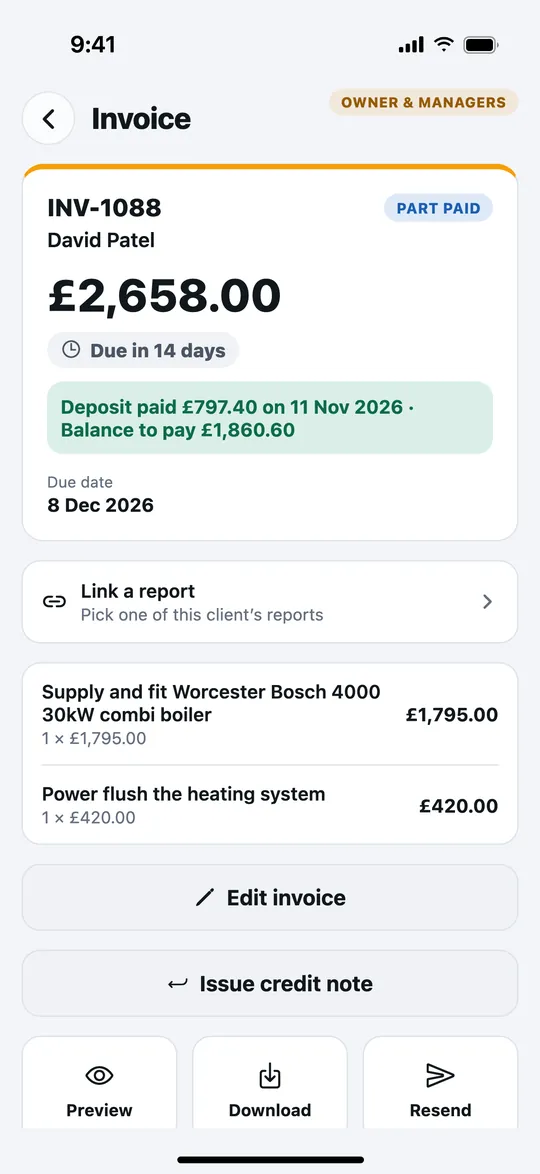
- An invoice needs a unique number. A VAT invoice needs one from a sequential series.
- Type your last invoice, quote and report numbers and Maintivo carries on from them.
- A deleted draft that never went out gives its number back.
- A sent invoice keeps its number: a credit note cancels or reduces it.
What does a UK invoice number need to be?
Unique, and for a VAT invoice, part of a sequence. Letters and numbers together are fine.
- ✓Every invoiceGOV.UK lists a unique identification number first among what an invoice must include.
- ✓VAT invoicesVAT Notice 700 asks for a sequential number based on one or more series which uniquely identifies the document.
- ✓Letters are fineHMRC’s manual says the number can mix numbers and letters, as long as it forms part of a unique, sequential series.
Sources, checked 23 November 2026: GOV.UK, Invoices: what they must include; HMRC, VAT guide (VAT Notice 700); HMRC, VATREC5010. This is a summary, not tax advice: your accountant can confirm what suits your business.
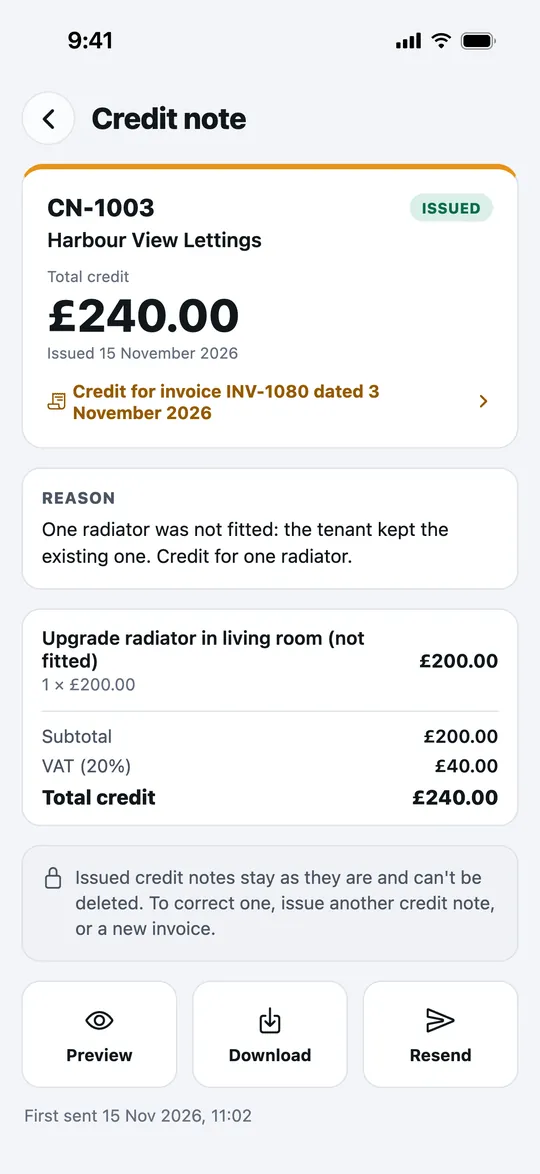
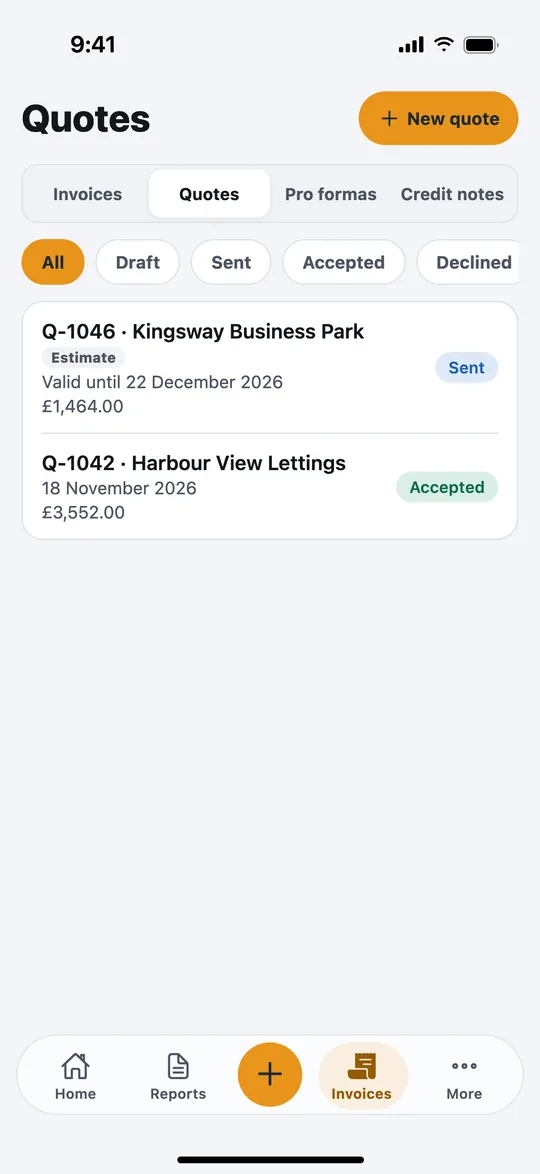
A number on everything, each in its own series
- Credit notesTheir own CN numbers, like CN-1003, each linked to the invoice it corrects.
- Quotes and estimatesQ numbers, like Q-1042, with the status beside each one.
- Issued stays issuedAn issued credit note cannot be deleted. To correct it, issue another credit note or a new invoice.
How does Maintivo keep the numbers in order?
You set them once. After that, every number follows on.
Type your last numbers
In Settings, or when you make your first invoice or quote: the last number you used, exactly as it looked, like INV-0457.
Maintivo carries on
The next one is INV-0458, in the same style. Quotes and reports work the same way.
Mistakes do not leave gaps
Delete a draft that never went out and its number goes to the next invoice.
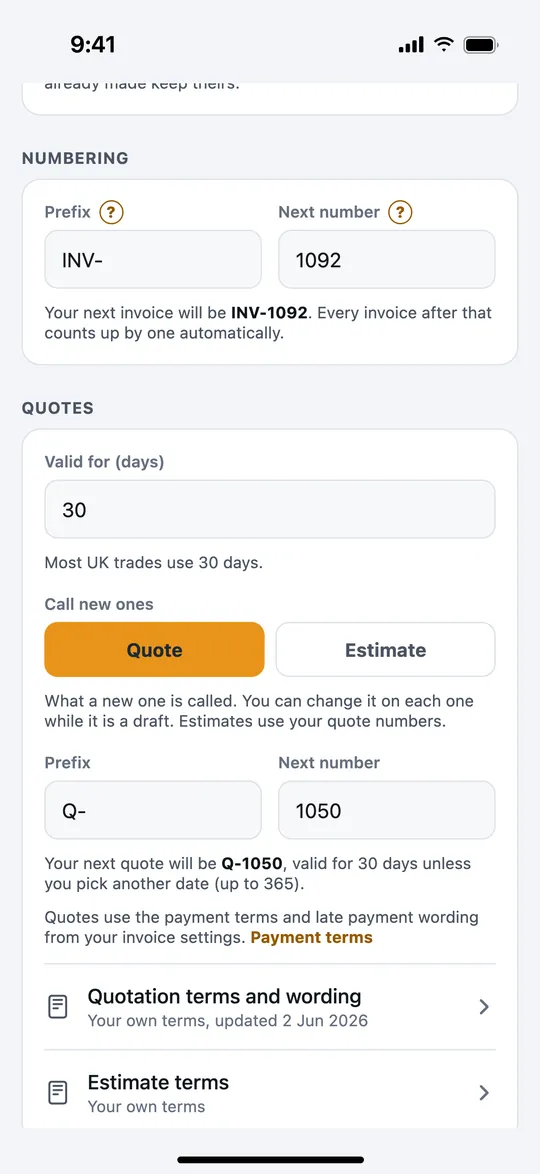
Set the prefix and the next number once
- InvoicesPrefix INV- and the next number. The screen shows your next invoice, INV-1092, and every one after counts up by one.
- Quotes and estimatesTheir own prefix, Q-, and their own next number.
- How long a quote holds30 days to start with, and you can change it.
| What happened | What Maintivo does |
|---|---|
| You moved from another app | Carries on from the last number you type, in the same style |
| A draft that never went out was deleted | Gives its number back to the next one |
| An invoice was already sent | Keeps its number. Use a credit note to cancel or reduce it |
| A report was deleted | Keeps it in Recently deleted for 30 days, with its number |
More on invoicing in Maintivo and quotes.
Your numbers, on the phone
Real screens from the iPhone app. Sample company.
- 1
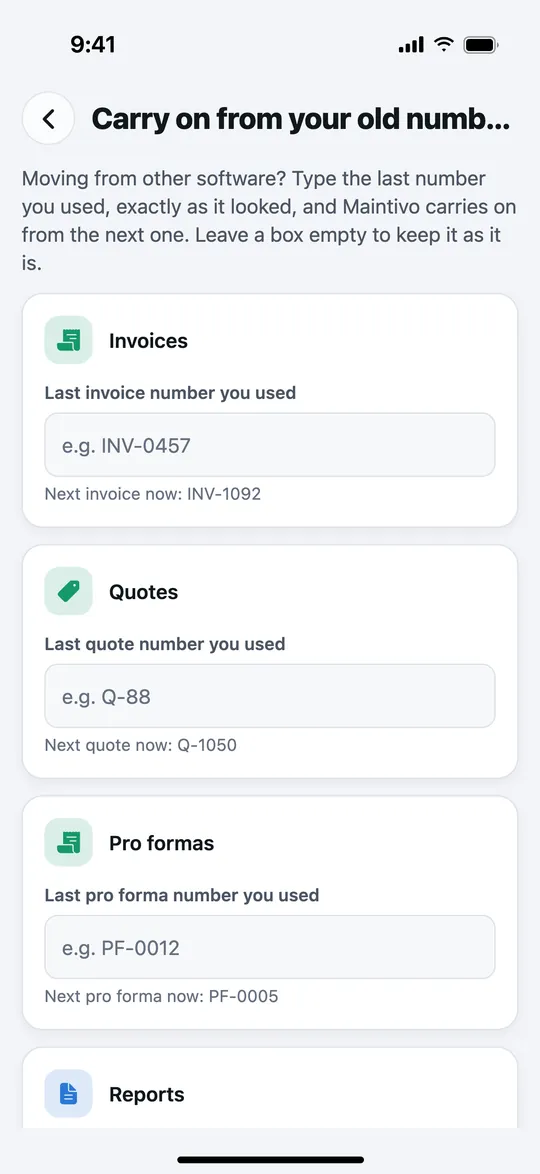
Carry on from your old numbers
Set the next invoice, quote, pro forma and report number once.
- 2
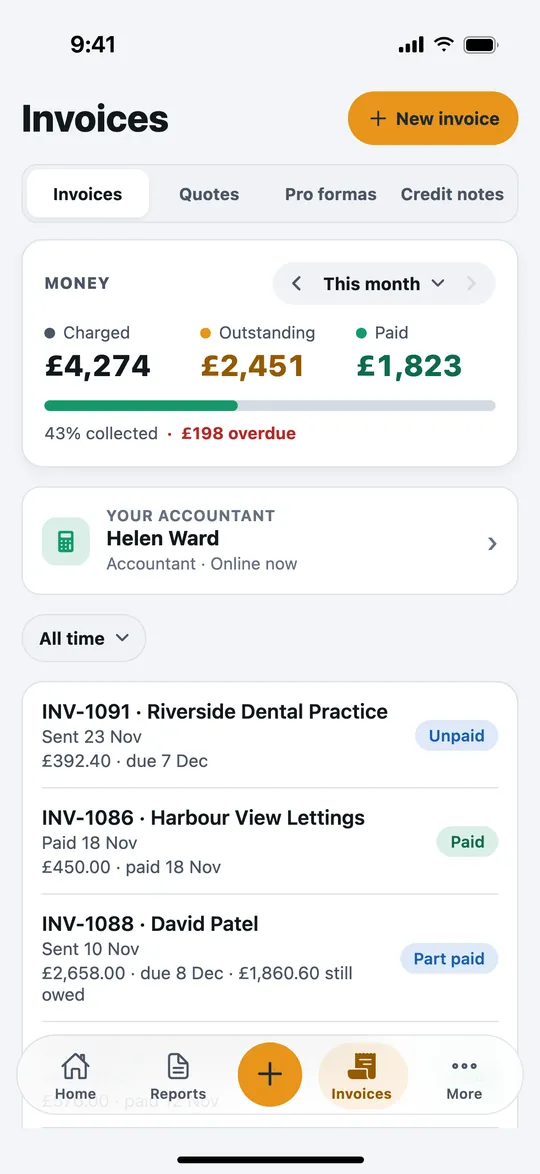
In order from then on
Each new invoice takes the next number.
- 3
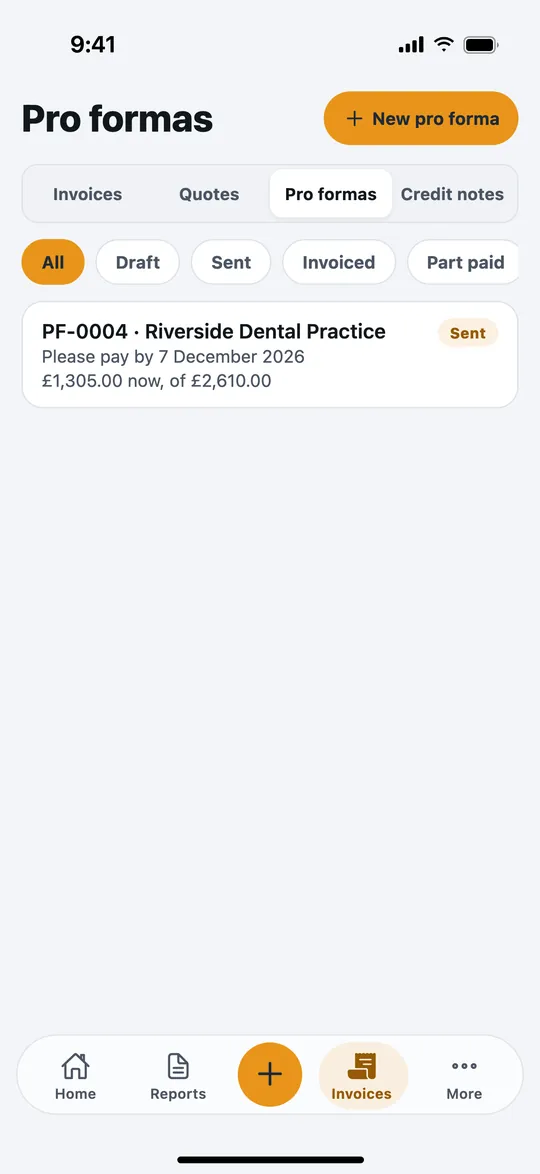
Pro formas have their own
A pro forma runs on its own numbers, such as PF-0004.
Common questions
GOV.UK says an invoice must include a unique identification number. A VAT invoice needs a sequential number, from one or more series, that identifies it uniquely. Letters and numbers together are fine, such as INV-0458.
Yes. Type the last invoice number you used, exactly as it looked, and Maintivo carries on from the next one in the same style. You can do the same for quotes and reports.
A draft that was never sent can be deleted, and its number is given back, so the next invoice uses it and your sequence has no gap. The same goes for quotes and credit notes.
No. A sent invoice keeps its number. To cancel or reduce it, raise a credit note against it, which has its own numbering.
A deleted report waits 30 days in Recently deleted and can be put back with its own number, so its number stays reserved.
Do your next report in Maintivo
Your first report is free to fill in, with no card and no training day. Run a real visit through it and see.
iPhone: No card. No account. First report free to fill in.In your browser: Free account, no card. First report free to fill in.